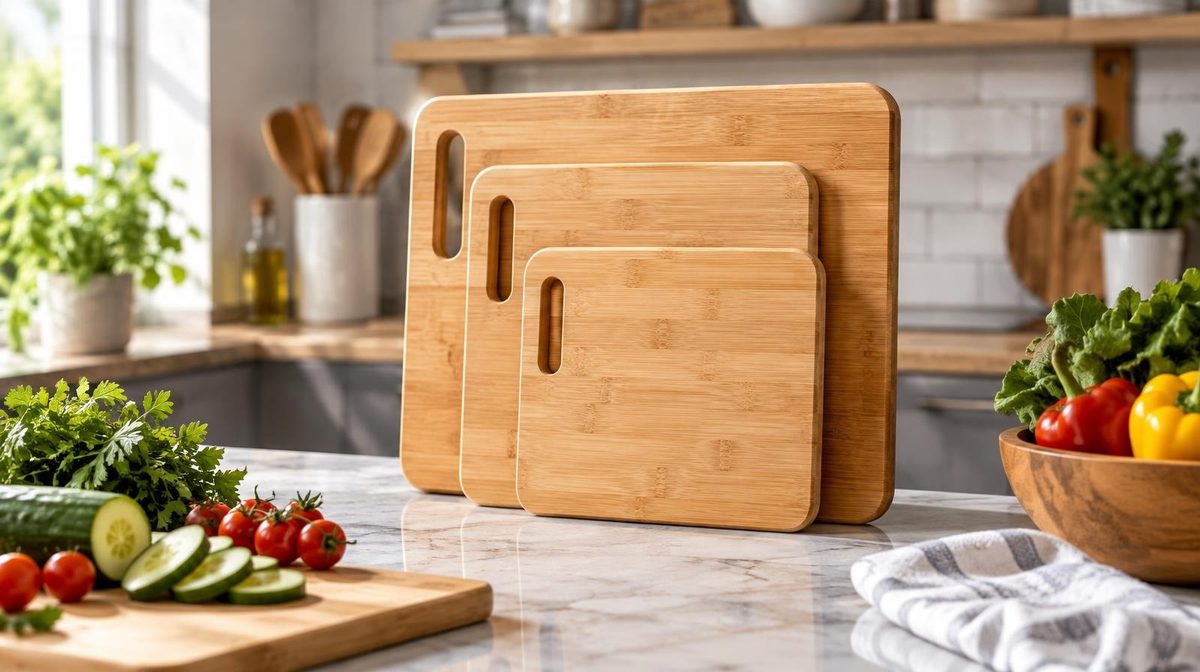
Marco sells a three-piece bamboo cutting board set for $34.99. His auto campaign looked busy: 48,000 impressions in two weeks. It also looked broken: 62 clicks, a 0.13% click-through rate. His plan was to redo the main image and rewrite the title that weekend.
Before he did, he opened the Placements tab. 37,400 of his 48,000 impressions came from product pages, where his ad sat in a carousel under other people's cutting boards. Those impressions had a 0.05% CTR. At the top of search, the same ad, with the same image and the same title, had a 0.9% CTR. His listing was not the problem. Where his ad showed up was.
When your Amazon ads get impressions but no clicks, it is tempting to blame the creative first. Sometimes that's right. More often, the low number is an average of very different placements and search terms, and the fix is in the targeting, not the photo. This guide shows you how to tell which one you're dealing with, gives you CTR ranges by placement, and walks through the 7 causes behind almost every low-CTR campaign.
It's the middle step of a three-part problem. If you get no impressions at all, read our guide to Amazon ads not getting impressions. If you get clicks but no orders, go to Amazon PPC clicks but no sales.
First: What Low CTR Actually Costs You
Here's the part most sellers miss. In a cost-per-click campaign, impressions without clicks cost you nothing. Sponsored Products charges you when someone clicks, not when your ad is shown. Ten thousand ignored impressions are free.
So why care about CTR at all? Three reasons:
- Lost sales. Every shopper who scrolls past your ad is a shopper who might have bought. Low CTR caps your growth even when your ACoS looks fine.
- Auction strength. Amazon doesn't publish its ranking formula, but relevance matters, and an ad that shoppers ignore is a weak relevance signal. Over time, low-CTR ads tend to need higher bids to hold the same position.
- Impression-based campaigns. If you run Sponsored Display or Sponsored Brands on vCPM (cost per 1,000 viewable impressions), you do pay for every ignored impression. There, low CTR is wasted money, not just a missed opportunity.
That changes the question. You're not trying to stop a leak. You're trying to find out whether your ads are reaching people who want to click, and whether they're giving those people a reason to.
Step 1: Is Your CTR Actually Low?
"Low" depends on where the ad shows. A single campaign-level CTR mixes placements that behave completely differently.
Here are the ranges we typically see in Sponsored Products accounts. Your category will move these up or down, so treat them as a starting point, not a rule:
| Placement | Typical CTR range | What a "problem" looks like |
|---|---|---|
| Top of search (first row) | 0.8% to 2%+ | Under 0.5% |
| Rest of search | 0.2% to 0.6% | Under 0.15% |
| Product pages | 0.05% to 0.3% | Usually not a problem on its own |
| Whole campaign, blended | 0.3% to 0.6% | Under 0.2%, after checking the mix |
Sponsored Brands ads usually sit higher, because they take more space at the top of the page. Sponsored Display usually sits lower, because it shows on product pages and off Amazon.
Check sample size, too. Impressions are cheap, so it's easy to have a lot of them. But a "zero clicks" result can still be luck if the expected CTR is low. A simple rule: wait for about 3 ÷ your expected CTR impressions before you call zero clicks a real signal.
| Expected CTR | Impressions before zero clicks means something |
|---|---|
| 1% | 300 |
| 0.5% | 600 |
| 0.3% | 1,000 |
| 0.1% | 3,000 |
At that point, the chance of zero clicks by bad luck is about 5%. To compare two CTRs, say 0.3% against 0.4%, you need far more: several thousand impressions on each side.
Marco's 48,000 impressions were plenty. The problem was that his 0.13% blended CTR hid a healthy 0.9% at the top of search.
Step 2: Split by Placement and Search Term
This is the 5-minute check that tells you which half of the problem you have: where the ad shows, or what the ad looks like.
- In Campaign Manager, open the campaign and go to the Placements tab. Note impressions, clicks and CTR for top of search, rest of search and product pages.
- Download the search term report for the last 30 days. Sort by impressions. Look at the top 20 terms and their CTR.
Then read the result:
| What you see | What it means | Where to look |
|---|---|---|
| Top-of-search CTR is healthy, blended CTR is low | Placement mix drags the average down | Causes 1 and 7 |
| A few search terms with huge impressions and almost no clicks | You're showing for searches that don't match your product | Cause 2 |
| CTR is low on relevant terms at the top of search | Your ad loses to the results around it | Causes 3, 4, 5, 6 |
Our Amazon PPC placements guide explains each placement in detail, and the search term report guide shows how to pull and filter the report.
The 7 Causes of Impressions but No Clicks
Cause 1: Your Impressions Come From Product Pages
This is Marco's cause, and it's the most common one in auto campaigns and product targeting.
On product pages, your ad sits in a "Products related to this item" carousel. The shopper is already looking at a product they chose. Most of them never scroll to the carousel. The ones who do are browsing, not searching. A CTR of 0.05% to 0.3% is normal there.
If 70% to 80% of your impressions come from product pages, your blended CTR will look terrible even when your ad works well at the top of search.
How to fix it:
- In auto campaigns, lower the bids on the substitutes and complements targeting groups. These are the ones that put your ad on other product pages.
- Lower the base bid slightly and add a top-of-search bid adjustment, so more of your budget goes to the first row of results.
- In product targeting campaigns, keep targets where you look better than the product page you're on: lower price, better rating or more reviews.
Marco cut his substitutes and complements bids by half, lowered his base bid from $1.10 to $0.85, and added a 40% top-of-search adjustment. That made his top-of-search bid $1.19. Two weeks later, his impressions fell to 19,000, his clicks rose to 96, and his blended CTR went from 0.13% to 0.51%. Fewer impressions, more clicks, and more sales.
Cause 2: You're Showing for the Wrong Searches
Broad match, phrase match and auto targeting all show your ad for searches that are close to your keyword. "Close" can mean a different product.
A shopper who searched "bamboo cutting board with handle" and sees a board without a handle won't click. Neither will someone who searched "cutting board oil." Amazon still counts those as impressions.
How to check: In the search term report, sort by impressions. Look for terms with 1,000+ impressions and a CTR under 0.1%. Ask one question for each: does my product match what this person typed?
How to fix it:
- Add the clearly wrong terms as negative exact.
- Add wrong concepts ("oil," "handle," "plastic") as negative phrase, so every variation is blocked.
- Move the search terms that do get clicked and do convert into exact match campaigns, where you control the bid.
Our negative keywords guide covers when to use exact vs phrase negatives.
Pro Tip: Irrelevant terms with low CTR don't cost you much in CPC campaigns, but they still hurt. They pull your keyword's average CTR down, and they hide the terms that really work. Clean them out for clarity, not just for savings.
Cause 3: Your Main Image Loses the Thumbnail Contest
On a phone, a shopper sees your ad as a small square image, a price, a star rating and two lines of title. The image does most of the work. If yours looks smaller, darker or plainer than the ones next to it, shoppers scroll past.
Aisha sells a set of four silicone baby bibs for $16.99. Her main image showed the bibs folded in a neat stack on a white background. At the top of search, her CTR was 0.35%, while her other products sat around 0.8%. Next to her, the best-selling bibs showed all four colors fanned out, with the food pocket clearly visible. Hers looked like one gray bib.
She ran a main image test in Manage Your Experiments with the four bibs spread out and the pocket facing the camera. After four weeks, the new image won, and her top-of-search CTR settled at 0.74%.
What usually helps:
- Fill the frame. The product should take up most of the image. Amazon's product image requirements allow up to 85% coverage on the main image.
- Show the whole offer. If it's a set or a pack, show every piece.
- Check it on a phone. Search your keyword on mobile and look at your image next to the other results. That's the real test, not your desktop screen.
If you have Brand Registry, test images instead of guessing. Our listing optimization guide covers the rest of the page.
Cause 4: Your Price Looks Wrong Next to the Others
Shoppers compare prices before they click. If similar products show $19 to $27 and yours shows $39.99, many shoppers won't click to find out why.
Daniel sells a resistance band set for $39.99. His set includes a door anchor, handles and five bands, so the price is fair. But in search results, all a shopper saw was the price, 120 reviews and a 4.3 rating, next to $22 sets with thousands of reviews. His top-of-search CTR was 0.4%.
How to fix it:
- Add a coupon. A coupon adds a green badge right under the price in search results. Daniel added a 15% coupon, and his top-of-search CTR rose to 0.7%. See our coupons and deals guide for how to set one up.
- Make the value visible. If you cost more for a real reason, show that reason in the main image and the first words of the title. "5 Bands + Door Anchor + Handles" explains a higher price faster than any bullet point.
- Target where you're competitive. Bid more on keywords where your price fits the page, and less on keywords dominated by cheaper products.
Cause 5: Your Reviews and Rating Look Weak
Next to the price, shoppers see your star rating and review count. A listing with 30 reviews at 3.9 stars, next to listings with 2,000 reviews at 4.6, gets skipped.
You can't fix this in a week. But you can work around it:
- Pick your battles. Advertise on long-tail keywords, where the other results also have fewer reviews.
- Use exact match more. Exact match keeps your ad in front of shoppers who want exactly your product, where a weaker rating matters less.
- Build reviews steadily. Use the "Request a Review" button and programs like Vine. Our guide on how to get more Amazon reviews covers the options that are within Amazon's rules.
Cause 6: Your Title Doesn't Confirm the Search
On mobile, shoppers see only the first 50 to 80 characters of your title. If those characters don't match what they searched, the ad doesn't look relevant.
A shopper searching "32 oz water bottle" needs to see "32 oz" early in the title. A shopper searching "bamboo cutting board set" needs to see "set" or "3-piece." If your title starts with your brand name and a long product line name, the important words fall off the screen.
How to fix it: Put the main keyword and the key detail (size, count, material) in the first 60 characters. Keep the brand name short. Check the mobile search results again after the change.
Cause 7: Your Ad Sits Too Low on the Page
An impression counts even when your ad shows at the bottom of page one, or on page two. Few shoppers get that far. If your bid is just enough to win an impression but not enough to win a good position, you'll see many impressions and few clicks.
How to check: Look at the top-of-search impression share in the Placements tab or the campaign's impression share column. If your share is under 5% to 10% on your main keywords, most of your impressions are lower on the page.
How to fix it: On your best keywords, raise the bid or add a top-of-search adjustment. Do it on a few proven keywords first, not across the whole account. Our Amazon PPC bid strategy guide explains how to raise bids without losing control of ACoS.
💡 Daniks.AI Advantage: Daniks.AI adjusts bids by keyword and by placement every day, toward your ACoS target. When a placement or search term gets impressions but no clicks, spend moves to the ones that do get clicked and do convert. You don't need to check the Placements tab every week. Try it free for 14 days.
What About Sponsored Brands?
Sponsored Brands ads show at the top of the page, with your logo, a headline and several products. The causes above still apply, but there are two more things to check:
- The headline. "Premium Quality Kitchen Products" says nothing. "3-Piece Bamboo Boards. No Plastic, No Splinters" says what the shopper gets.
- The products you show. Put your best sellers with the most reviews in the ad. A shopper should see at least one product with strong social proof.
Sponsored Brands video ads often get a higher CTR than the image format, because they move in the search results. Our Sponsored Brands guide covers both formats.
The Impressions-but-No-Clicks Checklist
Work in this order. It goes from fastest and most common to slowest.
- Check the sample. Are you past 3 ÷ expected CTR impressions? If not, wait.
- Split by placement. Compare top of search, rest of search and product pages.
- Check the search terms. Find high-impression terms with near-zero CTR and add negatives.
- Fix the placement mix. Lower substitutes and complements bids. Add a top-of-search adjustment.
- Compare your thumbnail on mobile. Image, price, rating, title, badges.
- Add a coupon if your price stands out against the page.
- Test one creative change at a time and give it at least two weeks.
Step 7 matters. If you change the image, the title and the price in the same week, you won't know which one fixed the CTR, or which one hurt it.
When Low CTR Is Fine
Not every low-CTR campaign needs fixing.
- Product page and Sponsored Display campaigns. Their CTR is low by design. Judge them on ACoS and sales, not CTR.
- CPC campaigns with good ACoS. If the campaign hits its ACoS target and grows sales, a low CTR is a missed opportunity, not a fire.
- Broad discovery campaigns. A campaign built to find new search terms will show for many searches that don't fit. That's its job. The fix is harvesting and negatives, not killing the campaign.
What matters is what happens after the click. If you raise CTR and conversion drops, you've just bought more of the wrong traffic. Always look at CTR and conversion rate together.
💡 Daniks.AI Advantage: Daniks.AI harvests the search terms that get clicked and convert into exact match, adds negatives for the ones that don't, and manages placement bids toward your ACoS target. You set the target once. The daily work runs 24/7.
FAQ
Why are my Amazon ads getting impressions but no clicks?
Most often, your impressions come from placements where shoppers rarely click, such as product pages or low positions on the search page. The next most common causes are irrelevant search terms from broad or auto targeting, a weak main image, a higher price than the results around you, and fewer reviews. Split your data by placement and search term before you change the listing.
What is a good CTR for Amazon PPC?
For Sponsored Products, a blended CTR of 0.3% to 0.6% is common. Top-of-search placements often reach 0.8% to 2% or more. Product page placements often stay under 0.3%. Sponsored Brands usually runs higher. Compare your CTR by placement, not just the campaign average.
Do I pay for impressions on Amazon ads?
Not in cost-per-click campaigns. Sponsored Products, and Sponsored Brands and Sponsored Display on CPC bidding, charge only when a shopper clicks. Sponsored Display and Sponsored Brands campaigns on vCPM bidding charge per 1,000 viewable impressions, so there, low CTR does cost money. You can check the cost type in your campaign settings or ask Amazon Ads support.
Does a low CTR increase my CPC?
It can. Amazon doesn't publish its full auction formula, but relevance plays a role. Ads that shoppers ignore tend to need higher bids to hold the same position over time. Improving CTR on your main keywords often helps you keep good positions at a lower cost.
How long should I wait before changing an ad with low CTR?
Wait until you have about 3 divided by your expected CTR in impressions. At a 0.5% expected CTR, that's 600 impressions. For creative tests, like a new main image, give each version at least two weeks and several thousand impressions before you decide.
Conclusion
When your Amazon ads get impressions but no clicks, don't start with a new photo shoot. Start with the split. Look at CTR by placement and by search term. That tells you if the problem is where your ad shows or what it looks like.
For Marco, it was where. His bamboo boards were fine at the top of search. They were invisible in product page carousels. After he moved his budget toward the top of search, his CTR nearly quadrupled, and his clicks went up even as his impressions went down. For Aisha, it was the image. For Daniel, it was the price next to the others. Each fix was different, but each started with the same five-minute check.
If you'd rather not split placements and search terms by hand every week, that's the work an automation tool should do for you.
Ready to Put Your Ads Where Shoppers Actually Click?
Daniks.AI manages bids, placements, negatives and keywords toward your ACoS target, 24/7, so your budget goes to the placements and search terms that earn clicks and sales.
Start Your Free 14-Day Trial14-day free trial · Cancel anytime