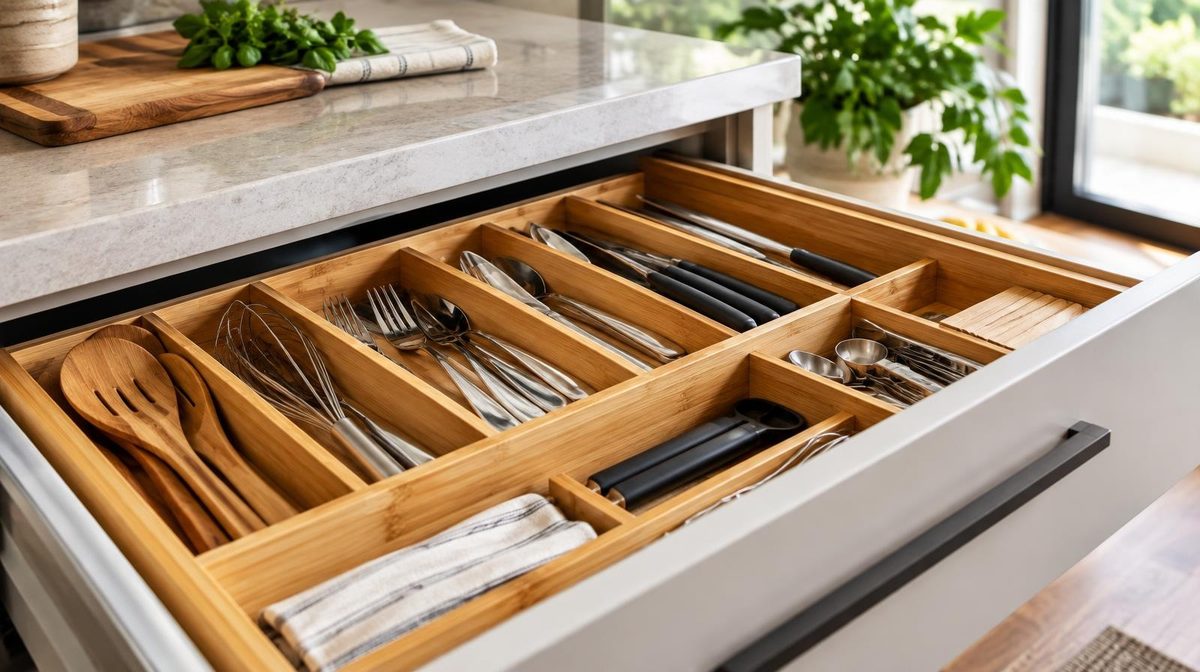
Daniel sells bamboo drawer organizers. No trademark, no Brand Registry, just a solid product and a Professional seller account. When he opened the Advertising Console for the first time, he clicked “Create campaign” and saw three ad types. Two of them were greyed out.
He spent the next week reading forum threads that told him he “couldn't really compete” without Sponsored Brands, Sponsored Display and Brand Analytics. So he set one auto campaign at $15 a day and left it alone.
Six months later a competitor with the exact same restrictions was outselling him four to one. Same ad type. Same lack of Brand Registry. The difference was what they did with Sponsored Products.
Running Amazon PPC without Brand Registry is not a dead end. It's a narrower toolkit, and you have to use every part of it on purpose. This guide covers what you actually lose, what you keep, a four-campaign setup that covers most of the jobs the missing ad types would do, and the point at which filing a trademark pays for itself.
What You Lose Without Brand Registry
Let's be honest about the gap first. Amazon Brand Registry unlocks a lot of the advertising and listing toolkit. Without it, here's what's off the table and what you can use instead.
| Feature | Needs Brand Registry? | What to use instead |
|---|---|---|
| Sponsored Products | No | This is your main engine |
| Sponsored Brands (headline, video, store spotlight) | Yes | SP exact match with a top-of-search placement adjustment |
| Sponsored Display | Yes (for sellers) | SP product targeting on your own and competitor ASINs |
| Sponsored TV | Yes | Not needed at this stage |
| Brand Analytics / Search Query Performance | Yes | Search term report, auto campaigns, Product Opportunity Explorer |
| A+ Content and Brand Story | Yes | Better images, title and bullets |
| Amazon Store | Yes | A strong variation family and cross-selling via SP product targeting |
| Amazon Vine | Yes | Request a Review button, policy-compliant inserts |
| Amazon Attribution, Brand Referral Bonus | Yes | Tracked off-Amazon links where you can, or skip |
The real cost of that list isn't the ad types. It's the data. Without Brand Analytics you don't see the full search query funnel for your category, so your keyword research has to come from your own ad traffic. That makes your auto campaigns and search term report far more important than they are for a registered brand.
What You Still Have: Sponsored Products in Full
Here's the good news. Sponsored Products is where most Amazon ad sales happen for most sellers, registered or not. You get the whole thing:
- Automatic targeting with all four match groups: close match, loose match, substitutes and complements.
- Manual keyword targeting with broad, phrase and exact match.
- Product targeting on individual ASINs and on categories, with brand, price and rating refinements.
- Negative keywords and negative product targets.
- Bidding strategies (fixed, dynamic down only, dynamic up and down) and placement adjustments for top of search and product pages.
- The search term report, which becomes your keyword research tool.
That's enough to build a serious account. You just have to make Sponsored Products do the jobs that a registered brand would split across three ad types.
The One Condition You Can't Skip: The Buy Box
Sponsored Products ads only serve when your offer is the Featured Offer, which most sellers still call the Buy Box. Lose the Buy Box and your ad simply stops showing. No error, no warning in the campaign. Impressions just drop.
For private-label sellers who are the only seller on their listing, this is rarely an issue as long as you stay in stock and keep your price competitive. For resellers and wholesale sellers sharing a listing, it's the single biggest factor in whether your ads run at all. If that's you, our guide to winning the Amazon Buy Box is required reading before you touch bids.
Two quick checks before you start any campaign:
- Search your ASIN while logged out. Is your offer the one in the Buy Box?
- In Seller Central, check that the listing is in stock, buyable and not suppressed.
If either answer is no, fix that first. No bid will fix it for you.
The 4-Campaign Setup for Amazon PPC Without Brand Registry
When Daniel's competitor walked us through their account, it came down to four campaigns per product. Each one does a job that registered brands usually hand to a different ad type.
Campaign 1: Auto Discovery (Your Brand Analytics Replacement)
Run one auto campaign per product with all four match groups on, at a moderate bid. Its job isn't profit. Its job is to show you what shoppers actually type and which ASINs Amazon thinks your product competes with.
Every week, pull the search term report and sort it two ways:
- Converting terms (2+ orders at an acceptable ACoS): move them into Campaign 2 as exact match and add them as negative exact in the auto campaign.
- Wasting terms (10+ clicks, zero orders): add them as negatives.
Without Brand Analytics, this loop is your keyword research. Treat it like it matters, because it does.
Campaign 2: Exact Match Winners (Your Sponsored Brands Replacement)
Sponsored Brands owns the very top of the search results page with a headline banner. You can't buy that banner. You can buy the first organic-looking slot below it.
Put your proven keywords here as exact match. Then add a top-of-search placement adjustment of 25 to 50% on this campaign only. That pushes your best terms into the top row of sponsored results, where click-through and conversion rates are usually highest. Our guide to PPC placements explains how to read the placement report before you raise the adjustment.
Keep this campaign tight: 5 to 15 keywords per product, all with real order history.
Campaign 3: Defensive Product Targeting (Your Sponsored Display Replacement)
Registered brands use Sponsored Display to retarget shoppers and to put ads on their own detail pages so competitors can't. You can do the second job with Sponsored Products.
Create a product targeting campaign that targets your own ASINs. Your ads then appear in the sponsored carousels on your own listings, taking up space a competitor would otherwise rent. If you have several products or variations, this also cross-sells: someone looking at your small organizer sees your large one.
Bids here can be low. These clicks are cheap and they convert well, because the shopper is already looking at you.
Campaign 4: Competitor Conquesting
Now go on offence. Target competitor ASINs where you win on at least one thing a shopper can see in the carousel: price, rating or review count. Use the product targeting refinements to only show against listings rated below yours or priced above you.
Start with 10 to 20 ASINs. Cut the ones that don't convert after 15 to 20 clicks. Our ASIN targeting guide covers how to pick them.
💡 Daniks.AI Advantage: Daniks.AI runs this whole loop on Sponsored Products automatically. It harvests converting search terms into exact match, adds negatives, sets product targets and adjusts every bid toward your ACoS target. You don't need Brand Registry for any of it.
How to Split the Budget
A starting point that works for most products:
| Campaign | Share of budget | Goal |
|---|---|---|
| Auto discovery | 25% | Find keywords and ASINs |
| Exact match winners | 45% | Profitable volume |
| Defensive product targeting | 10% | Protect your own pages |
| Competitor conquesting | 20% | Take share |
As your exact campaign fills up with proven terms, shift money from auto into exact. After three months, a healthy account usually runs 50 to 60% of spend through exact match.
Make Your Listing Convert Without A+ Content
Here's what most sellers miss. A+ Content tends to lift conversion, and conversion rate drives your ACoS more than any bid change. Without A+, your listing has to earn that lift from the parts you still control:
- Main image: clean, the product filling most of the frame, readable at thumbnail size.
- Secondary images: use them like A+ modules. Show dimensions, use cases, what's in the box and a comparison against “other organizers.” Images are where shoppers look first, and they're open to every seller.
- Title: lead with what the product is and the term that converts best in your search term report.
- Bullets: one benefit per bullet, with the proof right after it.
- Reviews: use the Request a Review button on every eligible order. It's available to all sellers and it's policy-safe.
Every point of conversion rate you gain cuts your ACoS. If your conversion rate goes from 10% to 12%, the same bids buy you 20% more orders. Our Amazon listing optimization guide walks through each element.
Pro Tip: Want Sponsored Products running on autopilot while you fix the listing? Try Daniks.AI free for 14 days and set your ACoS target once.
When Getting Brand Registry Pays for Itself
At some point the question flips from “how do I advertise without Brand Registry” to “why haven't I got it yet?” Here's the math to answer it.
In the US, a trademark application with the USPTO starts at a base filing fee of $350 per class, and many sellers pay an attorney a few hundred dollars more. Through Amazon's IP Accelerator you can enroll in Brand Registry while the application is still pending, often within weeks instead of waiting a year or more for registration.
Call it $1,000 to $1,500 all in. Now compare it to what Sponsored Brands and A+ could add. Take Mia, who sells a $28 yoga strap and does $9,000 a month in sales:
- A modest 5% conversion lift from A+ Content: about $450 a month in extra sales.
- Sponsored Brands adding 5% to her sales volume at a similar ACoS: another $450 a month.
- At a 30% profit margin, that's roughly $270 a month in extra profit.
Her trademark pays for itself in around five months. After that it's pure upside, plus she gets Brand Analytics data and protection against hijackers.
The rule of thumb: if you plan to sell the product for more than a year and it does more than $3,000 a month, file the trademark. Our full Amazon Brand Registry guide covers the application step by step.
Three Sellers Who Can't (or Shouldn't) Register
Not everyone can get Brand Registry, and for some it isn't worth it.
Resellers and Wholesale Sellers
You're selling someone else's brand, so you can't register it. Your PPC lives and dies on the Buy Box. Run exact match on the brand's top keywords, keep bids tight, and pause ads when you lose the Featured Offer so you don't fund other sellers' sales. Our Amazon PPC for wholesale guide goes deeper.
New Private Label Sellers With a Pending Trademark
If you've filed, check whether IP Accelerator or your attorney's filing lets you enroll now. Until then, run the four-campaign setup above. Everything you learn in your search term report carries straight over once Sponsored Brands unlocks.
Generic and Unbranded Products
Selling as “Generic” is allowed for products that genuinely have no brand. Your ads still work, but you can't protect your listing's content from other sellers, and you can never unlock the brand tools. If the product has a future, give it a brand.
Common Mistakes Without Brand Registry
- Running one auto campaign and calling it done. Auto is the discovery tool, not the whole strategy.
- Ignoring the Buy Box. If your impressions vanish overnight, check the Featured Offer before the bids.
- Copying registered-brand advice. Guides that tell you to “move budget to Sponsored Brands video” don't apply to you. Put that energy into exact match and product targeting.
- Leaving your own detail pages undefended. Competitors will happily rent the sponsored carousel on your listing if you don't.
- Never revisiting the trademark question. What made sense at $500 a month doesn't make sense at $10,000.
FAQ: Amazon PPC Without Brand Registry
Can you run Amazon ads without Brand Registry?
Yes. Any Professional seller with an eligible, in-stock listing that holds the Buy Box can run Sponsored Products, including auto, keyword and product targeting campaigns.
Is Sponsored Display available without Brand Registry?
For sellers, no. Sponsored Display needs Brand Registry. You can cover its detail-page job with Sponsored Products product targeting.
Can I do keyword research without Brand Analytics?
Yes. Your auto campaign's search term report shows the real queries that triggered your ads. Product Opportunity Explorer and third-party tools fill in search volume.
How long does Brand Registry take?
With a pending trademark through IP Accelerator, enrollment is often possible within weeks. A full US trademark registration can take a year or more.
Will my PPC costs be higher without Brand Registry?
Not because of the clicks themselves. Clicks cost the same in the same auctions. Costs rise only if your conversion rate is lower without A+ Content, which is why listing work matters so much.
Conclusion
Amazon PPC without Brand Registry is a smaller game, but it's the same game. Sponsored Products is still where most ad sales happen, and it gives you everything you need to find keywords, win the top of search, defend your own listings and take share from competitors.
Run the four campaigns. Protect the Buy Box. Treat your search term report like Brand Analytics, because for you it is. And once your product proves itself, file the trademark so you can unlock the rest.
Daniel rebuilt his account that way. Ninety days later his ad sales had tripled at a lower ACoS, and he finally filed his trademark with the profit.
Ready to Automate Your Amazon PPC?
Daniks.AI manages Sponsored Products bids, keywords and negatives 24/7 to hit your ACoS target, with or without Brand Registry.
Start Your Free 14-Day Trial14-day free trial · Cancel anytime