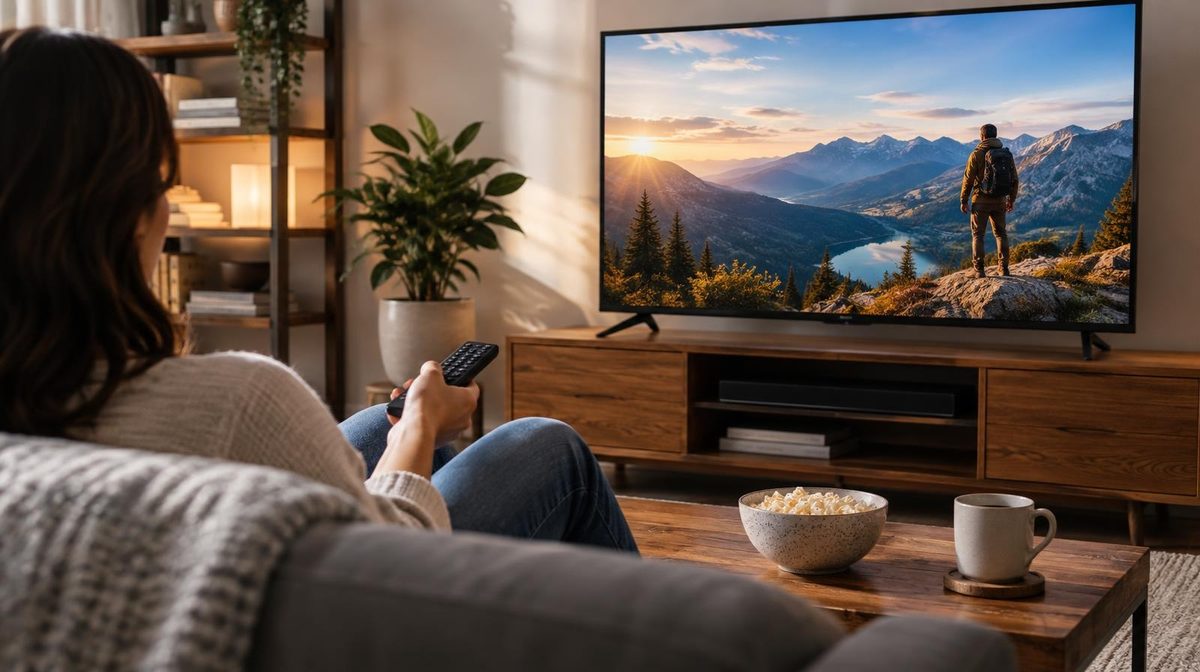
For years, TV advertising on Amazon had a velvet rope in front of it. You wanted your product on Prime Video or Fire TV? Great. Bring a $35,000 minimum commitment and a managed-service contract, and someone at Amazon would talk to you. Every seller doing $40K a month looked at that number and went back to raising Sponsored Products bids.
That rope is gone. Amazon Sponsored TV ads are self-service, sit in the same ad console you already use, and have no minimum spend. You can launch a streaming TV campaign this afternoon with a $10 daily budget and a video you made in Amazon's free creative tool.
Which raises the obvious question: should you?
This guide covers what Sponsored TV actually is, where your ads run, what they cost, how the format differs from Amazon DSP and Sponsored Brands Video, how to launch and structure your first campaign, which metrics tell you it's working, and, honestly, who should skip it for now.
What Are Amazon Sponsored TV Ads?
Amazon Sponsored TV ads are self-service video ads that run on streaming TV inventory across Amazon's ecosystem and its partner apps. They're bought on a CPM basis (cost per thousand impressions), managed from the same Amazon Ads console as your Sponsored Products campaigns, and available to sellers enrolled in Brand Registry.
The important word is self-service. Before Sponsored TV, streaming inventory was DSP territory: high minimums, managed service, agency retainers. Sponsored TV took that same class of inventory and put it behind the same "Create campaign" button you use for a keyword campaign.
The other important word is CPM. This is not a click-based format. You pay for impressions, for people seeing your ad on a television, not for clicks or sales. That single fact rewrites how you have to think about it, and it's where most sellers get burned. More on that in a minute.
Sponsored TV is upper-funnel by nature. Someone watching a show is not in shopping mode. They're not going to pause the season finale to buy your garlic press. What they might do is remember your brand well enough to click your Sponsored Products ad two weeks later. That's the trade.
Where Sponsored TV Ads Actually Run
Your ad isn't just running "on Amazon." Sponsored TV places video across a mix of Amazon-owned and third-party streaming inventory:
- Prime Video: Ad-supported Prime Video reaches a very large audience. The scale here is the main reason the format is interesting.
- Fire TV: Both in-app inventory and the Fire TV home screen environment.
- Twitch: Live streaming inventory, skewing younger and heavily male in most categories.
- Amazon-owned streaming channels and free ad-supported apps: A rotating set of Amazon's own free content services.
- Third-party streaming apps and publishers: Amazon partners with outside streaming apps to extend reach beyond its own properties.
You get some control over where you show up, but not the surgical placement control you have with Amazon PPC placements on search. Streaming is a reach medium. Treat it like one.
Availability varies by marketplace. Sponsored TV started in the US and has been expanding to other marketplaces over time. Check the campaign creation flow in your own account, or Amazon's own Sponsored TV documentation, for the definitive answer for your region. This is the kind of thing Amazon changes quarterly, and a blog post is a bad source of truth for it.
Sponsored TV vs. DSP vs. Sponsored Brands Video
Three Amazon formats involve video. Sellers mix them up constantly, and picking the wrong one wastes real money. Here's the honest breakdown:
| Sponsored TV | Amazon DSP | Sponsored Brands Video | |
|---|---|---|---|
| Where it runs | Streaming TV, Fire TV, Twitch, Prime Video | Everything: display, audio, video, on and off Amazon | Amazon search results |
| Buying model | CPM (per impression) | CPM (per impression) | CPC (per click) |
| Minimum spend | None (self-service) | Historically high; managed or seat-based | None |
| Who can use it | Brand Registry sellers | Larger advertisers or agency-managed | Brand Registry sellers |
| Funnel position | Upper funnel (awareness) | Full funnel | Lower funnel (active shoppers) |
| Targeting depth | Moderate: audiences, genres, products | Deep: custom audiences, lookalikes, third-party data | Keywords and products |
| Best for | Brand reach on TV without DSP overhead | Sophisticated multi-channel campaigns | Direct, measurable ad sales |
The short version:
Sponsored Brands Video is a lower-funnel workhorse. Someone is searching "wireless earbuds," your video autoplays in the results, they click, they buy. It's CPC, it's measurable, and for most sellers it's a better first video investment. We wrote a full guide on Sponsored Brands Video ads if that's where you actually are.
Amazon DSP is the full programmatic suite: deeper audience tooling, more inventory, more control, more overhead. Our Amazon DSP guide covers when the complexity earns its keep.
Sponsored TV sits between them: DSP-class TV inventory, Sponsored-Brands-class ease of setup. It's the on-ramp. If you've wanted to test streaming and the DSP minimum was the blocker, this is the door.
If you're still mapping out which formats belong in your account at all, our Amazon ad types comparison lays out the whole menu.
What Sponsored TV Ads Cost
Because it's a CPM format, your cost is per thousand impressions, not per click. Streaming TV inventory is premium, and it prices like it: expect CPMs in roughly the $20–$45 range depending on marketplace, audience, targeting tightness, and season. Q4 pushes the top of that range higher, the same auction pressure that hits your Q4 PPC strategy applies to TV inventory.
Do the arithmetic before you commit, because it's clarifying. At a $30 CPM:
- $10/day = ~333 impressions/day
- $50/day = ~1,667 impressions/day
- $150/day = ~5,000 impressions/day
Now sit with that. 333 impressions a day is not a marketing campaign. It's a rounding error. You will not see a signal. You will not see a lift in sales. You'll see a $300 monthly line item and nothing to attribute to it, and you'll conclude Sponsored TV doesn't work, when what actually happened is you never bought enough reach to matter.
Pro Tip: The absence of a minimum spend is a permission, not a recommendation. Amazon removed the $35K gate; it did not repeal the math of frequency.
If you can't commit somewhere in the neighborhood of $1,500–$3,000 over a test window, enough impressions to reach a real audience more than once, put that money into Sponsored Products optimization instead. You'll get more for it. That's not a knock on Sponsored TV. It's a knock on underfunded Sponsored TV.
Targeting Options
Sponsored TV targeting is built around audiences and context rather than keywords. The main levers:
- In-market audiences: Shoppers Amazon has flagged as actively browsing or buying in a category. The closest thing to intent this format offers, and usually the best starting point.
- Lifestyle audiences: Broader behavioral segments built from long-run shopping and streaming patterns like "Pet Owners" or "Fitness Enthusiasts."
- Remarketing: Reach people who viewed your products or your category. Small audiences, but the warmest ones you can buy here.
- Genre and content targeting: Align with the kind of content being watched.
- Product targeting: Target audiences based on products and categories, including competitor products.
Start with in-market and remarketing. They're the tightest, they're the closest to purchase intent, and they give you the fastest read on whether the format does anything for your brand. Lifestyle audiences are for scaling after you've seen signal. They're big, they're cheap-ish, and they'll happily eat your budget while you learn nothing.
Creative Requirements
You need a video. There's no way around it, and the creative matters more here than in any search format, because there's no keyword doing the qualifying work for you. On search, intent carries a mediocre video. On TV, the video is the campaign.
Practical guidance:
- Front-load the product. Show it in the first two or three seconds. There's no headline above your ad and no search term that explains why you're on screen.
- Design for sound-off and sound-on. Some streaming environments play with sound, some don't. Never rely on a voiceover to carry the message. Burn it into the visuals.
- Make it legible on a couch-distance screen. Text that reads fine on your monitor is invisible from ten feet away. Bigger type, fewer words.
- One idea per ad. Not five features. One reason to remember you.
- Keep it short. Fifteen to thirty seconds is the working range for this kind of inventory.
If you don't have a video, Amazon's free creative tools can generate a serviceable one from your listing images. "Serviceable" is the operative word. It's a fine way to test the format's viability before commissioning real creative, but a generated slideshow is not going to build a brand. Prove the channel works, then invest.
How to Launch Your First Campaign
- Confirm eligibility. You need Brand Registry and Sponsored TV availability in your marketplace. It appears as a campaign type in the ad console if you're eligible.
- Pick one hero product. Your best-converting, best-reviewed ASIN with healthy margin and stock depth. This is not the moment to promote the slow mover you're trying to clear.
- Set a budget that can actually produce a signal. Per the math above: think $50–$100/day for a real test, not $10.
- Choose a tight audience. One in-market segment relevant to your category. Resist the urge to layer on five audiences and blend your read into mush.
- Upload creative. Your video, or one built with Amazon's tools.
- Set a real test window. Six to eight weeks. Not two.
- Baseline everything first. Write down your current organic sessions, branded search volume, New-to-Brand percentage, and total sales before the campaign starts.
Note: That last step isn't optional. An upper-funnel campaign with no baseline is an expense, not an experiment. If you skip it, you will have no way to read the result, and you'll spend the money for nothing.
Measuring Sponsored TV: Read the Right Numbers
Here's where sellers wreck themselves. They launch Sponsored TV, check ACoS after ten days, see something horrifying like 180%, and pull the plug.
ACoS is the wrong primary metric for this format, and treating it as the scoreboard will cause you to kill campaigns that are working. That's not permission to ignore efficiency. It's a warning that a click-based metric can't grade an impression-based, upper-funnel channel on a ten-day window. If you're fuzzy on how the core metrics relate, our guides to ACoS and TACoS are worth a detour.
What to watch instead:
- New-to-Brand orders and NTB %: The core question this format exists to answer. Are you buying new customers or re-buying people who'd have found you anyway?
- Detail Page View Rate (DPVR): Did the ad move anyone to actually look at the product?
- Branded search volume: The cleanest proxy for awareness. Pull it from Amazon Brand Analytics and compare against your pre-campaign baseline.
- TACoS, not ACoS: Total ad spend against total sales. If Sponsored TV lifts organic, TACoS is where it shows up. ACoS is structurally blind to it.
- Total organic sessions: Rising organic traffic with flat everything-else is a real signal.
Run the campaign for six to eight weeks minimum before you judge it. Upper-funnel effects are lagged by definition. The whole premise is that someone sees you today and buys later. Measuring on a ten-day window measures nothing.
For a fuller treatment of tracking effects that don't resolve inside a single click, our Amazon Attribution guide is the companion piece.
Who Should Skip Sponsored TV
An honest answer, because "everyone should try it" is how tool vendors talk, not how sellers talk. Skip it, for now, if:
- Your Sponsored Products house isn't in order. If your search term reports are full of waste and your negative keywords are thin, fix that first. It's cheaper money and faster returns. Every time.
- You're on a tight budget. Under roughly $3K/month in total ad spend, TV is a distraction. Our small budget PPC guide is the better read.
- You sell one commodity product with no brand story. Sponsored TV builds brands. If there's no brand to build, you're buying impressions for a logo nobody will retain.
- You need this quarter's numbers. Upper funnel doesn't rescue a quarter. It compounds over a year.
Sponsored TV makes sense when you have a real brand with multiple products, your lower-funnel campaigns are already efficient, and you're hitting the ceiling of what search-based advertising can reach, because everyone searching for your category already sees you. That's the moment TV starts paying.
Where Automation Fits
Sponsored TV is a reach buy. It works when the rest of your account converts the demand it creates, and that part is exactly where most sellers are stretched thinnest.
Think about what Sponsored TV actually does: it sends more people to search for your brand and your category. If those searches land on campaigns with stale bids, missing negatives, and budgets that ran out at 2 PM, you paid TV prices to hand demand to your competitors. The TV campaign gets blamed. The real failure was downstream.
💡 Daniks.AI Advantage: Daniks.AI adjusts bids, budgets, keywords, and negatives across your Sponsored Products and Sponsored Brands campaigns 24/7 against an ACoS target you set once, so the demand your TV spend creates actually converts instead of leaking. We built it because we were managing our own campaigns at 2 AM and knew what an autopilot needed to do.
Get the conversion engine right first. Then buy the reach.
Frequently Asked Questions
What are Amazon Sponsored TV ads?
Self-service video ads that run on streaming TV inventory including Prime Video, Fire TV, Twitch, and partner streaming apps. They're bought on a CPM basis through the same Amazon Ads console as Sponsored Products, and they're available to Brand Registry sellers.
How much do Amazon Sponsored TV ads cost?
They're priced per thousand impressions, typically in the $20–$45 CPM range depending on marketplace, targeting, and season. There's no minimum spend, but a meaningful test realistically needs $1,500–$3,000 over six to eight weeks. A $10/day budget buys too few impressions to produce any readable signal.
What's the difference between Sponsored TV and Amazon DSP?
Both buy streaming inventory on CPM. DSP offers much deeper targeting, more inventory types, and full-funnel reach, but has historically required high minimums or agency management. Sponsored TV is self-service with no minimum and simpler targeting, the on-ramp to streaming without the DSP overhead.
Do I need Brand Registry for Sponsored TV?
Yes. Sponsored TV is a brand-building format and requires Brand Registry enrollment, the same as Sponsored Brands and Sponsored Display.
Do I need a professionally produced video?
No. Amazon offers free creative tools that build a video from your existing listing assets. That's enough to test whether the format does anything for your brand. If it does, invest in real creative. Auto-generated slideshows prove a channel, they don't build a brand.
How do I know if my Sponsored TV ads are working?
Not with ACoS. Watch New-to-Brand orders, Detail Page View Rate, branded search volume in Brand Analytics, TACoS, and total organic sessions, measured against a baseline you recorded before launch, over a six-to-eight-week window.
The Bottom Line
Amazon Sponsored TV ads removed the barrier that kept streaming inventory locked away from everyone but enterprise advertisers. That's genuinely new, and for the right seller it's a real opportunity.
But "no minimum spend" is not the same as "cheap," and self-service is not the same as easy. Sponsored TV is an upper-funnel, CPM, brand-building format. It demands a real budget, a real test window, real creative, and metrics that aren't ACoS. Bring those four things and it can put your product on television for less than you'd have believed two years ago.
Bring $10 a day and a ten-day patience window, and it will just be an expense.
Get your lower funnel efficient first. Baseline your numbers. Fund the test properly. Then go buy some TV.
Ready to automate your Amazon PPC?
Set your ACoS target once. Daniks.AI handles bids, budgets, keywords, and negatives 24/7, so the demand you create actually converts.
Start Your Free 14-Day Trial14-day free trial · Cancel anytime