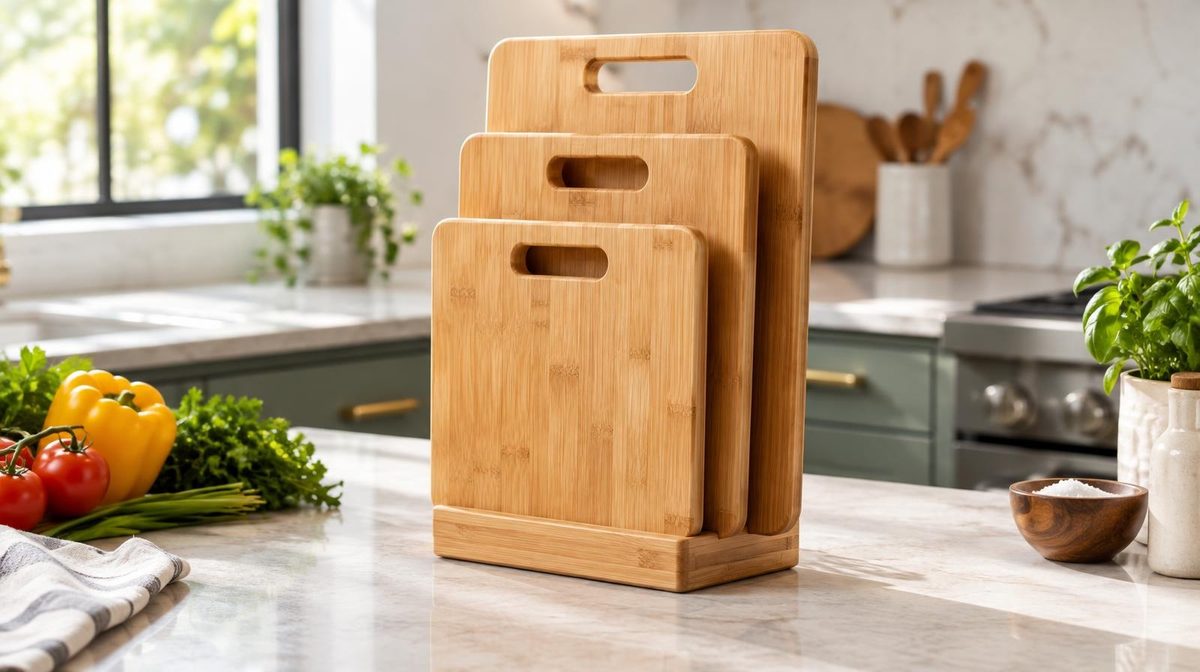
Priya launched a bamboo cutting board set at $34.99. Good photos, a clean title, FBA inventory checked in. Zero reviews. She copied the keyword list a course had given her, set $1.50 bids on "cutting board" and "bamboo cutting board set," and turned on a $50 daily budget.
Two weeks later she had spent $640 and sold ten boards through ads. ACoS: 183%. Her ads were showing right next to boards with 4.6 stars and 3,000 ratings, and shoppers did the obvious thing. They clicked hers out of curiosity and bought the other one.
The mistake wasn't advertising. It was advertising a zero-review product as if it had the same conversion rate as the page-one leaders. Amazon PPC with no reviews works, and for most new products it's the only realistic way to get the first sales that bring the first reviews. But the bids, targets and budget have to be built for the conversion rate you actually have, not the one you'll have in two months. This guide covers the math, the targeting choices that hold up at zero stars, a phased plan tied to your review count, and the review mistakes that can cost you the account.
Should You Run Amazon PPC With No Reviews?
Yes, in most cases. Reviews come from orders. Orders on a brand-new listing come from visibility, and a new ASIN has no organic rank. Without ads, a zero-review listing usually sits on page five or deeper, gets almost no sessions, and stays at zero reviews. Ads break that loop.
There are three exceptions where you should wait:
- The listing isn't finished. Missing images, a thin title or no A+ Content will make a weak conversion rate even weaker. Run the retail readiness checklist first.
- You have fewer than about 100 units in stock. Launch ads that work will sell through a small batch, and running out resets most of the momentum you paid for.
- Your margin can't absorb a launch loss. If your break-even ACoS is 15% and you have no cash set aside for a few weeks above it, fix pricing or costs before you advertise.
Everything else in this guide assumes the listing is ready, stock is in, and you've accepted that the first month of ads is an investment, not a profit center.
What Zero Reviews Does to Your Ads
Reviews don't change whether Amazon shows your ad. A zero-review product is eligible for Sponsored Products like any other. What reviews change is how shoppers react once the ad appears.
Click-through rate drops. Star ratings and review counts display under most Sponsored Products ads in search results. A placement with no stars next to three listings showing 4.5 stars and four-digit counts gets fewer clicks. Expect a CTR somewhere around half of what established competitors get on the same terms.
Conversion rate drops more. This is the expensive part. Shoppers who do click land on a page with no social proof and compare it with the listings they just scrolled past. In our experience, a zero-review product typically converts at 40-60% of what it will convert at once it has 20+ reviews and a 4+ star rating.
Your affordable bid falls with the conversion rate. The maximum CPC you can pay at a given ACoS target is:
Max CPC = Price × Target ACoS × Conversion Rate
Here's what that means for Priya's $34.99 board with a 30% target ACoS:
| Review status | Conversion rate | Max CPC at 30% ACoS | Max CPC at 60% ACoS |
|---|---|---|---|
| 0 reviews | 5% | $0.52 | $1.05 |
| 5-9 reviews, 4.3 stars | 8% | $0.84 | $1.68 |
| 25+ reviews, 4.5 stars | 12% | $1.26 | $2.52 |
Her $1.50 bids on head terms required a 12% conversion rate to break even at a 36% ACoS. She was converting at 4%. The keywords weren't wrong forever. They were wrong for a zero-review product.
The Review Math: Why Organic Reviews Are Too Slow
Most sellers underestimate how many orders it takes to get reviews naturally. Only a small share of buyers leave one. Depending on category and price, unprompted review rates tend to land around 1-2% of orders. Sending Amazon's Request a Review message on every order usually lifts that to roughly 2-4%.
At 2%, getting to 20 reviews takes about 1,000 orders. For a product selling five units a day, that's six months. Nobody can run launch-level ACoS for six months.
That is why the review plan has to run alongside the ad plan:
- Turn on Request a Review for every order. Use the button in Seller Central or an automation tool that calls the same Amazon template. It's allowed, it's neutral, and it roughly doubles your rate.
- Enroll in Amazon Vine if you have Brand Registry. Vine gives free units to vetted reviewers and is the fastest compliant way to get your first 10-30 reviews, usually within a few weeks. Our Amazon Vine guide covers the cost per review and when it's worth it.
- Use product inserts that ask for feedback neutrally. "Tell us how it went" is fine. "Leave a 5-star review" or any offer in exchange for a review is not.
For more compliant tactics, see how to get more Amazon reviews.
Lena sells a stainless steel spice rack. She enrolled 30 Vine units the week her inventory went live and ran small exact-match campaigns in parallel. By week five she had 21 Vine reviews at 4.4 stars. Her ad conversion rate went from 6% to 13% over those five weeks with no change to bids or keywords, and her ACoS fell from 71% to 29%. The reviews did more for her ACoS than any optimization she could have made.
A Phased Plan Tied to Your Review Count
Don't plan your launch by calendar weeks. Plan it by review count, because review count is what moves your conversion rate. Here's the structure we use.
Phase 1: Zero Reviews
Goal: first 20-50 orders, with as little waste as possible.
- Campaigns: one exact-match campaign with 10-20 long-tail keywords that describe the product precisely ("bamboo cutting board set of 3 with juice groove," not "cutting board"). One auto campaign with only the close-match group enabled and low bids.
- Bids: start near the Max CPC for a 50-70% ACoS at your realistic zero-review conversion rate. For Priya, that's $0.85-1.20 on exact long-tail, not $1.50 on head terms.
- Budget: enough for 30-50 clicks a day. Too little and you learn nothing; too much and you pay launch prices for broad traffic that won't convert yet.
- Placements: don't add a top-of-search bid adjustment yet. Top of search puts you directly beside the best-reviewed listings. Rest of search and product page placements are cheaper and the comparison is less brutal.
Phase 2: 1-9 Reviews
Goal: confirm the product converts and protect the rating.
- Read your reviews before you scale. If the first three reviews say the board warps, more ad spend buys more bad reviews. Fix the product or listing first.
- Add phrase match on the 3-5 keywords that converted in Phase 1.
- Start ASIN targeting (see below) against competitors that are weaker than you on price, rating or both.
- Begin harvesting converting search terms from the auto campaign into exact match.
Tomás learned the Phase 2 lesson the hard way. His silicone baking mats picked up four reviews in the first month, averaging 3.5 stars, two of them about the mats arriving creased. He kept scaling. His conversion rate at 3.5 stars was lower than it had been at zero. A visible negative signal hurts more than no signal at all. He paused ads for three weeks, switched to a rolled packaging insert, and restarted once two new reviews pulled the average above 4.
Phase 3: 10-25 Reviews
Goal: expand reach and move ACoS toward target.
- Add broad match in a separate discovery campaign.
- Test one or two mid-volume head terms at a capped bid.
- Tighten your ACoS target in steps (for example 60% → 45% → 35%) as conversion rate climbs.
- If you're brand registered, launch a Sponsored Brands campaign with your best 3 products or a single-product video.
Phase 4: 25+ Reviews and 4+ Stars
You're now competing on close to equal terms. Move to your normal target ACoS, add top-of-search adjustments where the data supports it, and build out the full launch PPC structure you'd use for any established product.
Targeting That Works at Zero Reviews
The common thread: go where the comparison with established listings is weakest.
Exact long-tail keywords. A shopper typing "bamboo cutting board set of 3 with juice groove" has already decided what they want. Fewer listings match the full description, so the page has fewer heavyweight competitors and your product's specifics count for more than the star count.
ASIN targeting against weaker listings. Product targeting puts your ad on competitor detail pages. At zero reviews, avoid the 4.7-star category leaders. Instead target:
- Listings priced 15-30% above yours with similar features
- Listings with ratings below 4.0
- Listings that are frequently out of stock
On those pages, your lower price or more reliable stock gives the shopper a reason to try an unknown product. Our ASIN targeting guide covers how to find and test these targets.
Your own catalog. If you already sell related products with good reviews, target their detail pages with the new product. Shoppers there already trust your brand.
What to avoid in Phase 1:
- One- and two-word head terms. Highest CPCs, most competition, lowest relative conversion rate.
- Broad match without negatives. It sends spend to loosely related searches, which zero-review products convert worst of all.
- Category targeting. Too wide for a product that needs every click to count.
Make Up for Missing Social Proof
Reviews are the biggest trust signal on Amazon, but not the only one. When you have none, lean harder on the others.
Price. A modest launch discount (10-20% below the main competitors) gives shoppers a rational reason to take a chance. Plan it as a temporary price and set a date to raise it as reviews arrive.
Coupons. A coupon badge appears in search results and in many ad placements, which can recover some of the click-through rate you lose without stars. Check eligibility first: Amazon restricts coupons on products with low ratings. Our coupons and promotions guide covers the setup and how discounts affect ACoS.
The main image. With no star rating, the image does almost all the work in the ad. Show the product in use, at the right scale, with what's included. Test variations with Manage Your Experiments once you have enough traffic.
Specific listing copy. Vague claims ("premium quality") carry no weight without reviews. Concrete facts do: thickness in millimeters, wood source, care instructions, warranty length.
A+ Content. Comparison charts and real-use photos help a skeptical shopper decide. If you're brand registered, finish A+ before launch.
💡 Daniks.AI Advantage: Launch ACoS and steady-state ACoS shouldn't be the same number. Daniks.AI lets you set a target per product, so you can run a new ASIN at 60% while its reviews build and keep every established product at its normal target. As the conversion rate rises, bids follow it automatically, with no weekly spreadsheet work.
How Much Budget a Zero-Review Launch Needs
Work out the launch budget before you start, not after you've spent it. A simple formula:
Launch budget = Target orders ÷ Conversion rate × Average CPC
Say your goal is 60 ad orders in the first phase, your realistic conversion rate is 6%, and you expect to pay $0.80 per click:
60 ÷ 0.06 × $0.80 = $800
At $34.99, those 60 orders bring in about $2,100 in sales, so ACoS for the phase is around 38%. That's above most sellers' long-term targets but well below Priya's 183%, because the clicks came from terms that actually convert at zero reviews.
If $800 is more than you can lose, lower the target order count or narrow the keyword list further. Don't lower bids below what any placement will accept: a launch that gets no impressions teaches you nothing. If your campaigns aren't converting even after a few hundred clicks, work through our clicks but no sales checklist before adding budget.
Pro Tip: Track cost per ad order instead of ACoS while your launch price is discounted. A temporary price cut inflates ACoS even when each order costs you less.
What Not to Do for Reviews
Amazon enforces review rules hard, and the penalties land on the whole account, not one listing.
- Never pay for reviews or give anything in exchange for one. That includes refunds after purchase, gift cards and free products outside Vine.
- No review swaps with other sellers, Facebook groups or "review clubs."
- Don't ask friends and family to buy and review. Amazon links accounts by address, payment method and device.
- Don't ask only happy customers for reviews. Selective requests break Amazon's policy too.
Beyond Amazon, the U.S. Federal Trade Commission's final rule banning fake reviews allows civil penalties for buying or selling fake reviews. A few early reviews are never worth losing the account.
How to Measure Progress
During a zero-review launch, ACoS alone will mislead you. Track these instead, weekly:
| Metric | Why it matters | What good looks like |
|---|---|---|
| Ad conversion rate vs review count | Shows whether reviews are lifting CVR | CVR rising with each review milestone |
| Cost per ad order | Cleaner than ACoS while price is discounted | Falling week over week |
| Organic rank on 5-10 target keywords | The return on launch spend | Moving from page 3+ toward page 1 |
| TACoS | Total ad spend vs total sales | Falling as organic sales grow |
| Average star rating | Early warning for product problems | Holding at 4.0+ |
If conversion rate isn't moving after 10+ reviews, reviews weren't the problem. Look at price, the main image or the product itself.
Frequently Asked Questions
Can you run Amazon PPC with no reviews?
Yes. Amazon doesn't require reviews for Sponsored Products ads. A zero-review product is eligible as long as it's in stock, has the Buy Box and complies with ad policies. It will usually convert at a lower rate, so bids and targets need to reflect that.
How many reviews should I have before running PPC?
You don't need any to start, but expect performance to change at each milestone. In our experience the biggest jumps in conversion rate come at roughly 5 reviews and again around 20-25, provided the average stays above 4 stars.
Should I use auto campaigns for a product with no reviews?
Yes, with limits. Enable only the close-match targeting group at a low bid, and add negatives weekly. Loose match, substitutes and complements tend to send traffic that zero-review products rarely convert.
Will Amazon penalize ads for a product with no reviews?
No. Amazon ranks ads using bid and relevance, and a low click-through or conversion rate can lower relevance over time. That's not a review penalty, but it's another reason to target narrowly at launch so early performance data is as strong as possible.
How long does a zero-review launch take?
With Vine and Request a Review running, most products reach 15-25 reviews in four to eight weeks. Without Vine, it can take several months, which is why the review plan matters as much as the ad plan.
Conclusion
Running Amazon PPC with no reviews is less about finding a trick and more about honest math. Your conversion rate is lower, so your affordable bid is lower. Spend on exact long-tail terms and weak competitor pages, skip head terms and top-of-search until reviews arrive, and run Vine and Request a Review alongside your campaigns so the zero-review phase is as short as possible.
Then tighten your ACoS target step by step as reviews come in. The sellers who launch well aren't the ones who spend the most in month one. They're the ones whose ads are built for the product they actually have that week.
Give every launch its own ACoS target
Daniks.AI manages bids, budgets, keywords and negatives 24/7 against a target you set per product, so a new ASIN can run at launch ACoS while your established products stay profitable.
Start Your Free 14-Day Trial14-day free trial · Cancel anytime