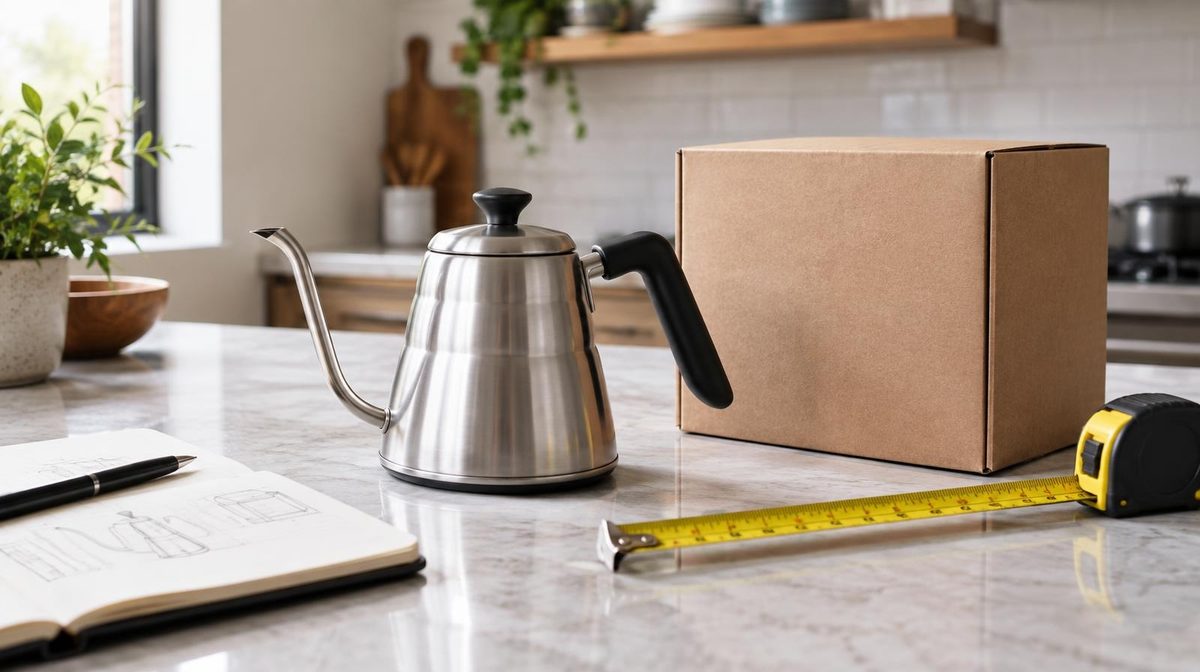
Priya launched a stainless steel pour-over kettle in February. Good product, good photos, $34.99 price point. She turned on Sponsored Products with a $40 daily budget and waited.
Six weeks later she had spent $1,560 on ads, generated 98 orders, and was sitting at a 46% ACoS. Her listing had four reviews.
She almost killed the product. Instead she enrolled 30 units in the Amazon Vine program, waited five weeks, and came back with 22 reviews at a 4.4-star average. Same ads. Same bids. Same keywords. Her conversion rate went from 6.1% to 11.8%, and her ACoS dropped to 24% inside a month.
That is the whole case for Vine in one story, and also the whole trap. Vine did not fix her advertising. It fixed the thing her advertising was being wasted on. Sellers who understand that distinction get a lot out of the program. Sellers who don't spend $200 and wonder why nothing happened.
Here is exactly how the Amazon Vine program works in 2026, what it costs in the US and Europe once you count inventory, the math that tells you whether it pays back, and the cases where you should skip it entirely.
Updated October 16, 2026. Fees, billing and eligibility re-checked on Amazon's own Vine pages: fee tiers for the US, EU, UK, Canada and Japan, when you are actually charged, a cost formula with worked examples, a section for Vine Voices and a new FAQ. Outdated fee and timing details were removed.
How much does Amazon Vine cost, in short
- Enrollment fee per parent product: $0 for up to 2 units, $75 for 3–10 units, $200 for 11–30 units (EU stores: €0, €70, €170)
- When you pay: no earlier than 30 days after enrollment, and only once your first Vine review is published. No review within 90 days, no fee
- The bigger cost is the units: every unit a Vine Voice claims ships free from your FBA stock, so you carry its landed cost and FBA fee
- All-in formula: enrollment fee + units claimed × (landed cost + FBA fee)
- Typical result: about $668 for 30 units of a $35 product, roughly $30 per review
Looking for the Vine reviewer portal? This guide is for sellers. Vine Voices sign in at amazon.com/vine (US) or amazon.de/vine (Germany); the reviewer section below sums up how Amazon picks them.
What the Amazon Vine Program Actually Is
Amazon Vine is Amazon's own review program. You make up to 30 free units of a product available; Amazon offers them to invited reviewers called Vine Voices; the Voices who request a unit receive it free and post an honest review.
The key word is honest. You do not choose the reviewers, you cannot contact them, and you cannot remove a review you don't like. Amazon says it invites Voices based on how insightful their past reviews are and matches products with Voices who have purchase history and expertise in the category. Their reviews carry a "Vine Customer Review of Free Product" badge.
That badge matters more than most sellers expect. Shoppers see it. It signals the reviewer got the product for free, which costs a little credibility, and it signals the review is not a friend, a refund scheme, or a paid post, which buys a lot back.
Vine is also the only way Amazon allows you to hand out free product in return for reviews. Amazon's Community Guidelines forbid creating, editing or removing a review in exchange for compensation, free products included, and tell Vine Voices they may accept free products only through official Vine offers. In the US, the FTC's 2024 rule on fake reviews also bans incentives conditioned on a review expressing a particular sentiment, on top of the FTC endorsement guides. Review clubs, gift-card inserts and "rebate for feedback" groups break these rules, and sellers still get suspended for them. Vine exists so there is a legitimate option.
Who Can Use Vine: 2026 Eligibility
Amazon's seller page lists these requirements:
- A Professional selling account: Individual accounts can't enroll.
- Brand Registry, or generic products: you need a Brand Representative or Reseller role on a brand enrolled in Brand Registry, or generic products in your catalog. If the product belongs to a brand, that brand must be enrolled. Our Brand Registry guide covers the setup.
- An FBA listing: all Vine units ship through FBA, which keeps Voices anonymous. Merchant-fulfilled offers are not eligible.
- Fewer than 30 reviews on the product detail page: this is the hard gate that surprises people.
- An image and a description: thin listings don't qualify.
- An eligible product type: adult, digital and bundled products are excluded.
- Inventory at Amazon: you can enroll before inventory arrives, but nothing ships to Voices until it is in a fulfillment center.
- A Vine store: Vine runs in the US, Canada, UK, France, Germany, Italy, Spain, Australia and Japan.
The 30-review ceiling is the single most important scheduling constraint in this whole article. Vine is a launch tool. If you are sitting on a five-year-old listing with 400 reviews and you were hoping Vine would refresh it, that door closed a long time ago.
Pro Tip: Check the review count on the parent ASIN, not the child variation you're looking at. Reviews are shared across a variation family, so a parent with six children that each have eight reviews is already past the limit (see our product variations guide).
How Much Does Amazon Vine Cost in 2026? Fees by Marketplace
Amazon charges one enrollment fee per parent product, tiered by how many units you make available. Child variations under that parent cost nothing extra. These are the current fees from Amazon's Vine page:
| Units per parent product | US | EU (DE, FR, IT, ES) | UK | Canada | Japan |
|---|---|---|---|---|---|
| Up to 2 units | Free | Free | Free | Free | Free |
| 3–10 units | $75 | €70 | £60 | CAD 100 | JPY 10,000 |
| 11–30 units | $200 | €170 | £140 | CAD 240 | JPY 22,000 |
Amazon's page doesn't list an Australian fee, so check the amount Seller Central shows you before enrolling there. The billing rules matter as much as the amounts:
- You pay later, and only if reviews arrive: Amazon doesn't charge until 30 days after enrollment and after your first Vine review is published. If no Vine review arrives within 90 days of enrollment, you aren't charged.
- The 2-unit tier is genuinely free: Amazon's announcement of the tiered fees says the fee applies only when you enroll three or more units per parent ASIN.
- You can't change tier later: once enrolled, a product can't move to another tier or add child ASINs, per the same announcement.
- Standard fees still apply: you pay the FBA fees on Vine units.
- New sellers may get it free: Amazon's new seller incentives include a $200 Vine credit if you enroll your brand in Brand Registry within six months of listing your first eligible product, then enroll a product in Vine within 90 days.
If a guide quotes a flat $200 fee, it is out of date: the free and $75 tiers apply to products enrolled since October 19, 2023. And you are billed after the first review, not when the first unit ships.
That table is what sellers quote each other. It is also badly incomplete, because the enrollment fee is usually the smallest part of what Vine costs you.
The real cost of Vine: the formula
You are giving away product. Count it properly:
Total Vine cost = enrollment fee + units claimed × (landed cost per unit + FBA fee per unit)
Cost per review = total Vine cost ÷ reviews received
Landed cost covers manufacturing, freight, duties and prep. The FBA fee depends on size and weight; our FBA fees guide shows how to look yours up.
Worked example: Priya's kettle
Run it on Priya's kettle. Landed cost $9.40 a unit, FBA fee about $6.20 for that size and weight:
- Enrollment: $200
- COGS: 30 × $9.40 = $282
- Fulfillment: 30 × $6.20 = $186
- Total out of pocket: $668
She got 22 reviews from 30 units, a 73% review rate. Don't plan on one review per unit: Amazon sells the top tier as up to 30 reviews, and not every Voice who requests a unit writes one.
$668 ÷ 22 reviews = $30.36 per review.
That is the number to hold in your head. Not $200. Roughly $30 a review for a mid-priced product, and it scales with your unit cost.
Amazon Vine cost per review: which tier is cheapest?
Here is the same formula across three unit costs, using Priya's 73% review rate as a planning assumption (about 7 reviews from 10 units, 22 from 30, and one or two from the free tier):
| Product (landed cost + FBA fee) | 2 units (free) | 10 units ($75) | 30 units ($200) |
|---|---|---|---|
| Low-cost: $4.00 + $3.50 = $7.50 | $15 total · $7.50–$15 per review | $150 total · $21.43 per review | $425 total · $19.32 per review |
| Mid-price (Priya): $9.40 + $6.20 = $15.60 | $31.20 total · $15.60–$31.20 per review | $231 total · $33.00 per review | $668 total · $30.36 per review |
| Higher-cost: $60.00 + $8.00 = $68 | $136 total · $68–$136 per review | $755 total · $107.86 per review | $2,240 total · $101.82 per review |
Three things fall out of that table:
- The 30-unit tier has the lowest fee per unit: $6.67 against $7.50 at 10 units. So choose a tier by how much inventory you can give away and how many reviews you need, not by price per review.
- For expensive products, the fee barely matters: at $68 a unit, the units are 90% of the cost. See our guide to PPC for high-priced products.
- The free tier is cheap but small: two reviews won't move a listing far, and you can't top up later. It suits costly products where any early review helps.
The same math in Germany: a 30-unit enrollment on Amazon.de with a €9.00 landed cost and a €5.50 FBA fee comes to €170 + 30 × €14.50 = €605. At 22 reviews, that is about €27.50 per review.
Does It Pay Back? The Conversion-Rate Math
Cost per review is meaningless on its own. What matters is what those reviews do to your conversion rate, and through conversion rate, to your ACoS.
Here is the chain, and it is the reason a reviews article belongs on a PPC blog at all:
More reviews → higher conversion rate → more sales per click → lower ACoS at the same bid.
ACoS is ad spend divided by ad revenue, which per click works out to ACoS = CPC ÷ (conversion rate × average order value). If your CPC and your bid stay flat but twice as many clicks turn into orders, your ad revenue doubles and your ACoS halves. You didn't optimize a single campaign. You made the destination page better at closing.
Run Priya's numbers:
| Metric | Before Vine | After Vine |
|---|---|---|
| Reviews | 4 | 26 |
| Star rating | 4.0 | 4.4 |
| Conversion rate | 6.1% | 11.8% |
| Clicks / month | 1,150 | 1,150 |
| CPC | $0.97 | $0.97 |
| Ad spend | $1,116 | $1,116 |
| Orders | 70 | 136 |
| Ad revenue | $2,449 | $4,759 |
| ACoS | 45.6% | 23.5% |
The table holds clicks and CPC flat on purpose, so only the conversion rate changes. Her ad spend didn't move. Her ad revenue nearly doubled: $2,310 more a month.
Revenue isn't profit, so check the payback on margin. At $34.99, with the $9.40 landed cost, the $6.20 FBA fee and an assumed 15% referral fee ($5.25), each extra order leaves $14.14 before ad spend. The 66 extra orders are worth 66 × $14.14 = $933 a month, so the one-time $668 pays back in about three weeks ($668 ÷ $933 = 0.72 months). The reviews keep working after that.
Vine payback formula
- Extra orders per month = ad clicks per month × (new conversion rate − old conversion rate)
- Payback in months = total Vine cost ÷ (extra orders per month × profit per order before ad spend)
- This counts ad-driven orders only. Any organic lift is a bonus, so the estimate is conservative.
Check the ACoS side for your own product with our free Amazon ACoS calculator. Better conversion also feeds organic rank; our Amazon SEO guide explains that flywheel.
Amazon's own Vine page claims enrolled products see sales rise by an average of 30%, citing internal data. Treat that as an average across very different products, not a forecast for yours.
Now the honest version. This only works when reviews are genuinely the bottleneck. If your listing already has 40 reviews, or your photos are the problem, or your price is 30% above the category median, Vine changes nothing and you're out $668. The math above is a real pattern, not a promise.
How to tell if reviews are your bottleneck: compare your conversion rate with a category reference point. Ad Badger's 2026 data from its users puts the average ad conversion rate at 11.1% across categories and 11.4% in Home & Garden, roughly where Priya's kettle ended up. As a rule of thumb, if you're converting well below that and have fewer than 15 reviews and a rating above 3.8, reviews are very likely the constraint. Below 3.8 stars, fix the product first: Vine Voices will find the same flaw your existing reviewers found. Our Amazon conversion rate optimization guide helps you find which listing element is costing you sales.
How Long Does Amazon Vine Take?
Amazon publishes milestones, not a review deadline:
| When | What happens |
|---|---|
| Listing created | You can enroll once the FBA listing is customer-ready, even before inventory arrives |
| Inventory checked in | Voices request units, and Amazon ships them through FBA |
| 3+ weeks before launch | Amazon's recommendation: be enrolled with inventory in its network by then, so Voices have time to receive, try and review |
| 30 days after enrollment | The earliest point at which you can be billed, and only if a review has been published |
| 90 days after enrollment | If no Vine review has arrived, you are not charged |
Priya's reviews took five weeks. Budget five to six weeks from enrollment to a meaningfully changed listing, and longer for products that take time to judge, such as supplements or skincare.
Vine and Your PPC Launch Sequence
Most sellers run Vine and PPC in the wrong order. They launch ads at full budget on day one, burn through several thousand dollars converting at 5%, and enroll in Vine two months later once the panic sets in.
Reverse it.
- Before launch: enroll in Vine first, ideally three weeks or more ahead with inventory checked in, as Amazon recommends.
- Weeks 0–5: run PPC at a deliberately small budget. $15–25 a day on tight exact-match campaigns for your two or three most relevant keywords. You're gathering keyword and CVR data, not chasing volume. Accept a high ACoS here; it's tuition, not waste.
- Weeks 3–6: reviews land. Watch your conversion rate weekly as they come in.
- Week 6+: scale spend. Once you're at 10+ reviews and your CVR has stabilized near or above your category's typical rate, open the budget and expand into broad and auto campaigns.
The logic is simple. Every dollar you spend on ads before the reviews land buys clicks at a conversion rate you're about to double. Spending big early doesn't accelerate anything; it just pays full price for traffic your listing can't close yet. Our Amazon product launch PPC strategy covers the full ramp in detail.
Note: There's one exception. If you're launching into a seasonal window, a Q4 product or a Prime Day item, you may not have six weeks. In that case run Vine and full PPC in parallel and accept the worse early ACoS as the cost of hitting the season.
Daniks.AI Advantage: While reviews land, your conversion rate changes week to week, and so does the right bid on every keyword. Daniks.AI adjusts bids, budgets and keywords 24/7 against the target ACoS you set, so the lift turns into volume instead of being noticed weeks late.
Vine Rules: What You Can and Can't Control
- You can't pick or contact reviewers: Amazon matches your product with Voices, Voices choose what to request, and FBA shipping keeps them anonymous.
- You can't steer the review: Amazon asks Voices for honest, unbiased opinions, whether positive, neutral or negative.
- You can't remove a review for being negative: only reviews that break Amazon's Community Guidelines come down.
- You can cancel only before anyone claims a unit (and then re-enroll). After a claim you can only stop the enrollment, which blocks new claims but not reviews already coming, and a stopped product can't be re-enrolled.
- What you do control: the product, the listing, the timing and the unit count.
Is Amazon Vine Worth It?
When Vine is worth it
- You're launching a new product: this is the core use case. Zero to 20 reviews in five weeks is not achievable any other legitimate way.
- Your CVR is below your category's typical rate and your review count is in single digits: the bottleneck is clear.
- Your product is genuinely good: a strong product gets rewarded; a mediocre one gets exposed in public, permanently.
- Your margin can absorb the units: if 30 units is a rounding error on your monthly volume, take the 30-unit tier.
- You're launching a genuinely new version: a materially changed product that gets its own new ASIN can go through Vine like any other new product.
When to skip Vine
- You're already near 30 reviews: you'll get a handful of Vine reviews and hit the cap. Spend the money elsewhere.
- Your rating is below 3.8: you will amplify a product problem, not solve a review problem. Fix the product, then enroll a revised version.
- Your product is expensive to give away: at $80 landed cost, 30 units is $2,400 in inventory for maybe 22 reviews, over $100 each. Use the 10-unit or free 2-unit tier, or skip it.
- Your product is highly technical: Amazon matches products with Voices who know the category, but they are still shoppers, not specialists, and pro gear can draw reviews that miss the point.
- You're out of stock or about to be: Vine units come out of your FBA inventory, and giving away 30 units to trigger a stockout is a bad trade. Inventory management beats reviews every time, because a stockout resets your ranking momentum.
How to Enroll: Step by Step
- In Seller Central, go to Advertising → Vine.
- Pick a product Amazon recommends on the Vine dashboard, or search for an eligible FBA ASIN.
- Choose how many units to offer, up to 30. This sets your fee tier for good.
- Select Enroll and make sure inventory reaches Amazon's fulfillment network.
- Track claimed units and reviews on the Vine dashboard.
Full program details are on Amazon's Vine page for sellers.
Amazon Vine for Reviewers (Vine Voices)
For readers looking for the reviewer side of Vine, here is what Amazon's own Vine page for customers and its German counterpart say:
- It's invitation-only: Amazon selects what it calls the most insightful reviewers in its store to serve as Vine Voices.
- There's no application: customers who consistently write insightful reviews are the most likely to be invited. Amazon's advice is to keep reviewing and watch for an invitation.
- What Voices get: they can request products free of charge, delivered at no cost. They are not paid to take part. In the US, Amazon's seller page adds that Voices are responsible for income tax on the products they receive.
- What's expected: honest, unbiased reviews, positive, neutral or negative. To stay in the program, Voices are expected to keep reviewing that way, and Amazon's Community Guidelines bar them from accepting free products from sellers outside Vine.
- Where the portal is: invited Voices sign in at amazon.com/vine in the US and amazon.de/vine in Germany. Typing vine.amazon.de takes you to the same sign-in.
Amazon doesn't publish exact selection criteria or review quotas on these pages, so treat specific numbers quoted elsewhere with caution.
Four Mistakes That Waste the Enrollment Fee
Enrolling before the listing is finished. Vine Voices see the same page shoppers see. If your A+ Content isn't live and your images are placeholders, you're sending 30 reviewers to a half-built listing. Finish listing optimization first, then enroll.
Enrolling a product you haven't tested yourself. Vine Voices open the box, use the thing, and write 300 words about it. Every flaw you were hoping nobody would notice gets documented on your listing permanently. Order a unit from your own FBA inventory and use it for a week before you enroll.
Treating Vine as ongoing review generation. It isn't. It's one shot per parent ASIN, capped at 30 reviews. Everything after that comes from the Request a Review button, package inserts that comply with policy, and product quality. Our guide on getting more Amazon reviews covers what to do once Vine is spent.
Panicking at the first negative review. Vine Voices post critical reviews. A 4.3-star average across 22 detailed reviews converts better than a 5.0 across three vague ones, because shoppers read a perfect rating on a thin review count as suspicious. If a Vine review points at a real defect, fix it and say so; our guide on handling negative Amazon reviews covers the response playbook.
Frequently Asked Questions
How much does the Amazon Vine program cost?
The fee per parent product is $0 for up to 2 units, $75 for 3–10 and $200 for 11–30 in the US (€0, €70 and €170 in the EU). Add each claimed unit's landed cost and FBA fee: for the $35 kettle above, that comes to about $30 per review.
When does Amazon charge the Vine fee, and do I pay if I get no reviews?
Not until 30 days after enrollment and after your first Vine review is published. If no Vine review arrives within 90 days, there is no fee, though the units already shipped are still gone.
How long does Amazon Vine take?
Amazon recommends being enrolled, with inventory in its network, at least three weeks before launch, and publishes no review deadline. Budget five to six weeks from enrollment to a meaningful number of reviews.
Can I choose which Vine Voices review my product?
No. Amazon connects your product with Voices who have purchase history and expertise in your category, and Voices choose what to request. They stay anonymous to you.
Are Amazon Vine reviews honest, and can they be negative?
Yes on both counts. Amazon asks Voices for honest, unbiased opinions, positive, neutral or negative, and badges every Vine review so shoppers know the product was free. You can't remove one for being critical, which is exactly why shoppers trust them.
Amazon Vine vs Request a Review: which should I use?
Both, at different times. Request a Review in Seller Central is free and policy-safe, but it only reaches people who already bought, so it is slow at low sales. Vine costs money and inventory but delivers reviews at launch, when each one moves conversion most. Use Vine for the first 10–20 reviews, then rely on review requests.
The Bottom Line
The Amazon Vine program is a launch tool with a hard expiration date. You get one shot per parent ASIN, capped at 30 reviews, and only while you're under 30 total. Used at the right moment (new product, complete listing, good product, single-digit review count) it's the fastest legitimate way to get a listing to the review count where advertising starts to work.
Used at the wrong moment, it's $668 for reviews on a listing that wasn't converting for reasons reviews don't fix.
Run two numbers before you enroll: what a review costs you, all in, and whether your conversion rate is really below your category's typical rate. If it isn't, your money belongs in your campaigns. Our guide on how to lower ACoS covers the other levers.
And once the reviews do land, make sure your bids move with your new conversion rate. That lift is only worth something if your advertising captures it.
Ready to automate your Amazon PPC?
Daniks.AI manages your bids, budgets and keywords around the clock against your target ACoS, so when your conversion rate climbs, your campaigns scale with it.
Start Your Free 14-Day Trial14-day free trial · Cancel anytime