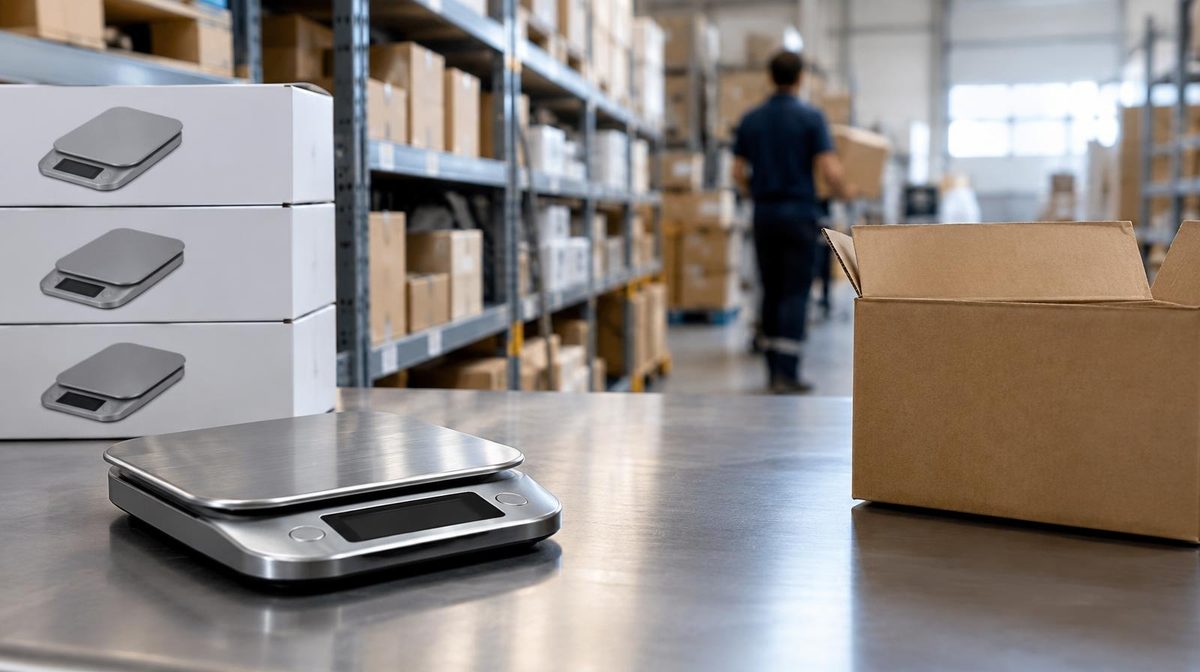
Marcus spent four months and $14,000 in Sponsored Products spend getting his kitchen scale to page one for "digital kitchen scale." Best Seller badge. ACoS down to 18%. Then his supplier missed a shipment, he sold through his last 40 units in a weekend, and the listing went dark for eleven days.
When the restock finally landed, the ranking he'd paid for was gone. His BSR had cratered, competitors had eaten his Buy Box, and his once-profitable campaigns were suddenly showing 45% ACoS because the listing had lost the sales velocity that made it convert. He didn't lose the sale of 40 units. He lost the $14,000 he'd spent building the position.
This is the part of Amazon advertising nobody talks about. You can run perfect campaigns and still torch your account if the warehouse runs dry. Inventory isn't a supply-chain problem you can wall off from your ad strategy, it's the foundation your ad strategy stands on. Let's break down exactly how stockouts do the damage, and how to run inventory so your ad spend keeps compounding instead of evaporating.
What Amazon Inventory Management Actually Means for Advertisers
Amazon inventory management is the practice of keeping the right amount of stock in the right place at the right time, enough to never miss a sale, but not so much that storage fees and aged-inventory surcharges eat your margin.
For a purely operational seller, that's a logistics question. For anyone running ads, it's a profitability question, because every metric your campaigns depend on is downstream of stock. Your keyword rank, your Buy Box ownership, your conversion rate, and whether your ads even serve, all of it assumes the product is in stock and shipping fast. Run out, and the whole system quietly unwinds.
The sellers who treat inventory and PPC as one connected system win. The ones who let a supply-chain manager and an ads manager work in separate spreadsheets keep paying to rebuild positions they already owned.
The Hidden Chain Reaction: How One Stockout Cascades
A stockout doesn't cost you one thing. It triggers a chain of failures, each one more expensive than the last.
1. It tanks your BSR and organic rank
Amazon's ranking systems reward sales velocity, recent and consistent sales relative to your category. When you go out of stock, velocity drops to zero, and your Best Sellers Rank climbs (worse) fast. Amazon has no reason to keep surfacing a product it can't ship, so your organic keyword positions slide down as competitors fill the gap.
The cruel part: rank recovery isn't symmetric. It took Marcus four months to climb. It took eleven days to fall, and another six weeks of paid traffic to claw most of it back. Amazon's algorithm builds momentum slowly and gives it up instantly.
2. It costs you the Buy Box, which stops your ads
Here's the mechanic most sellers miss. Sponsored Products ads only serve when you own the Buy Box (Featured Offer). Go out of stock on your FBA offer and, if you have no backup FBM offer, you lose the Buy Box, and your ads simply stop showing. No warning email. Your campaigns are still "active," your budget is still set, but impressions flatline because there's nothing to advertise.
For sellers who share a listing with other merchants, it's worse: a stockout hands the Buy Box straight to a competitor, who now collects the organic and paid demand you built.
3. It wastes the ad spend you already paid for
Even the wind-down is expensive. In the days before you run dry, your inventory is low but your campaigns are still spending at full budget, driving clicks to a listing that's about to disappear. You pay for traffic that converts for a day and then hits a "currently unavailable" page. Then, when you restock, you pay all over again to rebuild the rank you lost. You're billed twice for the same position.
The Numbers That Tell You Trouble Is Coming
You can see a stockout coming weeks out if you're watching the right metrics. Four matter most:
- Days of supply: current sellable units ÷ average daily sales. This is your runway. Under 30 days for an FBA product is a warning; under 14 is an emergency given typical replenishment lead times.
- Sell-through rate: units sold over a period ÷ average units on hand. Amazon uses a 90-day version to judge FBA health. High sell-through with thin cover is the classic stockout setup.
- IPI (Inventory Performance Index): Amazon's 0–1,000 score of how well you manage FBA stock. It blends excess inventory, sell-through, stranded inventory, and in-stock rate. A low IPI can cap how much you're allowed to send in.
- Replenishment lead time: manufacturing + freight + Amazon receiving and check-in. This is the number sellers underestimate most, receiving alone can run a week or more in peak season.
The trigger you actually act on is simple: reorder point = (average daily sales × lead time in days) + safety stock. When on-hand units cross that line, the purchase order should already be placed.
| Signal | Healthy | Danger zone |
|---|---|---|
| Days of supply (FBA) | 45–75 days | Under 30 days |
| IPI score | 500+ | Under 400 (may trigger limits) |
| 90-day sell-through | Balanced with cover | Very high + low days of supply |
| Restock buffer | Ordered at reorder point | Ordering after you notice low stock |
Forecasting So You Never Go Dark
Guessing is how you end up like Marcus. A workable forecast doesn't need a data-science team, it needs honest inputs.
- Start with a baseline. Take your trailing 30–60 day average daily sales per SKU. Don't use a random good week.
- Layer in growth and seasonality. Ramping ad spend or heading into Q4? Multiply. A Prime Day or Black Friday push can 3–5x daily velocity for winners, and running out mid-event is the most expensive stockout there is.
- Add your full lead time, not your best-case one. Manufacturing delays, port congestion, and Amazon receiving all live here. Pad it.
- Set safety stock. Enough buffer to absorb a demand spike or a shipment delay, commonly 2–4 weeks of supply, more for long overseas lead times.
Two rules keep you out of trouble. First, never let advertising outrun inventory: if you're scaling a campaign hard, make sure the stock can survive the velocity you're paying to create. Second, plan seasonal inventory backward from the event, not the calendar, and factor in cutoff dates and receiving times, which shift earlier every peak season.
Pro Tip: Set a low-stock alert at your reorder point, not at "almost empty." By the time Seller Central flags a SKU as low, you're usually already inside your lead time, meaning a stockout is baked in no matter what you order today. The alert has to fire while there's still runway to act.
Restock Limits and IPI: The Ceiling You Forget About
Even with a perfect forecast, Amazon controls how much FBA inventory you can send. Restock limits are set at the storage-type level (standard-size, oversize, and so on) and driven heavily by your IPI and recent sales history. A low IPI or a sudden demand spike can leave you unable to send enough units to cover the sales your ads are generating.
To protect your capacity:
- Clear stranded and aged inventory, it drags IPI and racks up long-term storage surcharges without ever selling.
- Keep sell-through healthy, steady sales relative to on-hand stock is exactly what IPI rewards.
- Fix listing issues fast, suppressed or stranded units count against you and can't convert the traffic you're paying for.
- Don't over-send "just in case," excess inventory hurts IPI from the other direction and buries capital in storage fees.
You can read Amazon's own breakdown of the score and its inputs in the Inventory Performance Index help pages inside Seller Central.
The Opposite Trap: Overstocking and Aged Inventory
Running out is the loud failure. Overstocking is the quiet one. Send in six months of cover "to be safe" and you'll pay monthly storage fees, then aged-inventory surcharges on anything sitting past Amazon's thresholds, costs that climb the longer units sit. Worse, that capital is frozen in a warehouse instead of funding your ad budget or your next product.
The goal isn't "as much stock as possible." It's a tight, forecast-driven band: enough cover to never miss a sale through your lead time plus a buffer, and no more. Inventory management is a balancing act, and both sides of the scale cost real money.
The Advertiser's Inventory Playbook
If you run ads, treat inventory as a lever inside your PPC strategy, not a separate department. Here's how disciplined sellers coordinate the two.
Throttle ads as stock runs low. When a SKU dips under roughly 2–3 weeks of supply, ease off aggressive bids and dayparting instead of paying premium clicks to accelerate toward zero. A PPC audit cadence is the natural place to check stock cover alongside bids and budgets.
Protect winners first. If capacity is tight, prioritize inventory for the SKUs where you've already built rank and profitable campaigns. Losing position on a proven winner costs far more than a slow launch on a new product.
Sync launches with supply. A product launch burns budget to build velocity and rank fast, which is pointless if you can't keep the item in stock through the ramp. Confirm cover before you turn the spend up.
Rebuild deliberately after a stockout. Coming back from dark, expect to pay to re-earn rank. Restart with focused campaigns on your core converting keywords rather than blasting budget everywhere at once.
This is exactly the kind of coordination that breaks down when a human is managing bids by hand across hundreds of campaigns. You notice the stockout, but not until you've already burned three days of budget driving traffic to a dying listing.
💡 Daniks.AI Advantage: Daniks.AI runs your Amazon PPC on full autopilot, adjusting bids, budgets, and negatives 24/7 to hit your ACoS target. That means when a SKU's performance shifts, your spend follows the data automatically instead of waiting for you to notice on Monday morning. It's the difference between ads that react in real time and ads that keep spending on a listing that's already in trouble. Pair tight inventory discipline with automated bid management and you stop paying twice for the same rank.
Three Sellers, Three Lessons
Elena, supplements. She 4x'd her Sponsored Products budget going into a New Year's health push and sold out in nine days. The spike she paid to create outran the stock she had. Now she runs a simple rule: any campaign she scales more than 50% gets a stock-cover check first. No cover, no scale.
Marcus, kitchen scale. After his eleven-day blackout, he moved his reorder trigger from "when Amazon warns me" to a hard reorder point, average daily sales times full lead time, plus a three-week buffer. He hasn't gone dark since, and his ACoS stabilized once velocity became consistent.
Priya, pet accessories. She had the opposite problem: 200 days of cover on a slow SKU, dragging her IPI under 400 and capping her restock limits on the products that actually sold. She cleared the aged stock at a small loss, freed the capacity, and got her fast movers back in stock before Q4.
Different failures, one root cause: inventory and advertising were being managed as if they were unrelated. They never are.
Frequently Asked Questions
How much inventory should I keep in stock on Amazon?
Enough to cover your full replenishment lead time plus a safety buffer, commonly 45–75 days of supply for a steady FBA product, more if your overseas lead times are long or you're heading into a peak season. Avoid going much beyond that, since excess inventory triggers storage and aged-inventory fees and drags your IPI.
Does running out of stock hurt my Amazon ranking?
Yes. Going out of stock drops your sales velocity to zero, which worsens your BSR and pushes your organic keyword positions down. Recovery is slow and usually costs paid traffic to rebuild the rank you lost, so preventing the stockout is far cheaper than recovering from one.
Do my Amazon ads keep running if I'm out of stock?
No. Sponsored Products ads only serve while you own the Buy Box. If a stockout costs you the Buy Box, your ads stop showing even though the campaigns are still "active," and if you share the listing, the Buy Box (and your demand) can pass to a competitor.
What is a good IPI score?
Amazon generally treats 500 and above as healthy. Falling below Amazon's threshold (often around 400) can trigger restock limits that cap how much FBA inventory you're allowed to send in, which is dangerous if your ads are driving strong sales.
Stock Is the Ground Your Ads Stand On
You can obsess over match types, bid modifiers, and placement reports, and you should, but none of it survives a stockout. The best campaign in your account converts a "currently unavailable" page into exactly zero sales, and it does it while still charging you for the clicks on the way down.
Run inventory as part of your ad strategy, not apart from it. Forecast honestly, reorder at a real trigger point, protect your winners' capacity, and keep enough cover to survive the velocity your ads create. Do that, and every dollar you spend building rank actually compounds, instead of getting rebuilt from scratch the next time the warehouse runs dry.
Ready to automate your Amazon PPC?
Set your ACoS target once. Daniks.AI handles bids, budgets, keywords, and negatives 24/7, so your spend follows the data, even when a SKU's performance shifts.
Start Your Free 14-Day Trial14-day free trial · Cancel anytime