
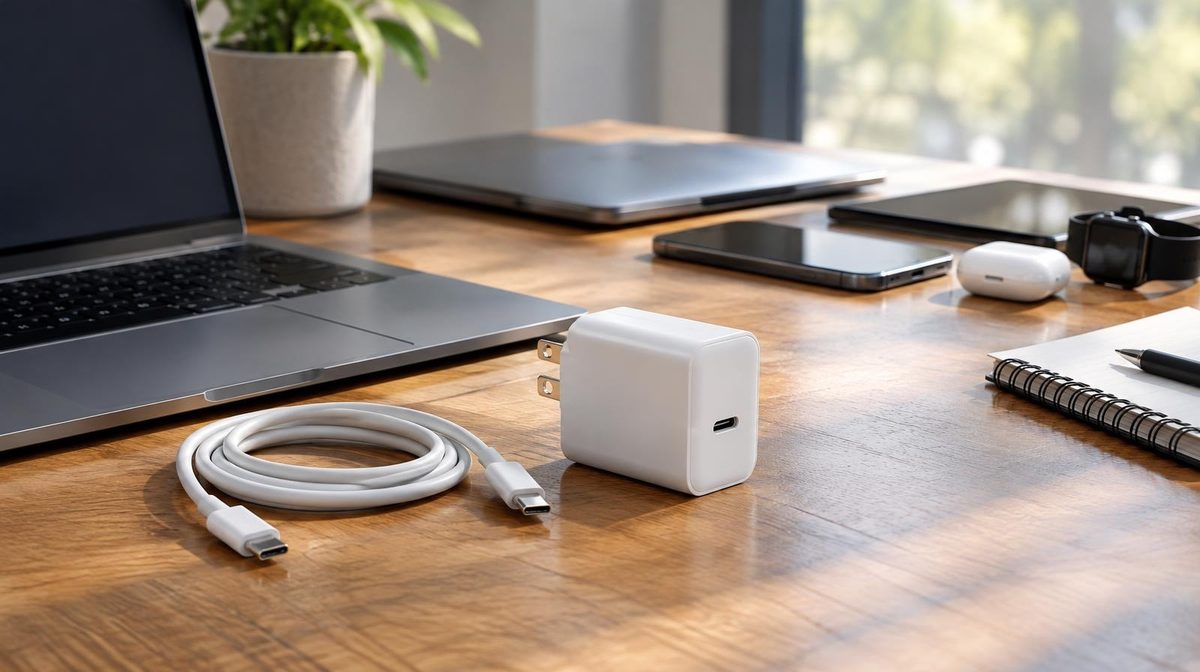
Dev sells a $39 65W USB-C charger. In September he bid on "phone charger," "fast charger" and "laptop charger." The campaign spent $2,400 that month at 47% ACoS.
The search term report told the story: "lightning charger," "magsafe charger," "charger for dell laptop barrel," "100w charger," "car charger." Most of those shoppers never bought. Some did, plugged it into a laptop that needed 90 watts, and sent it back. His return report said "not compatible" 37 times.
The charger worked exactly as described. The ads kept showing it to devices it could not power.
That is the core problem in Amazon PPC for electronics. The shopper is not buying a gadget. They are buying something that works with a specific device, port, standard or wattage. When your keywords, negatives and listing say exactly what it works with, clicks convert and orders stay sold. When they don't, you pay for the click, then for the return, then for the one-star review that says "doesn't work." This guide covers the device-spec keyword ladder, compatibility negatives, the device launch cycle, ACoS targets, Cyber Week bidding, accessory targeting and compliance.
Why Amazon PPC for Electronics Is Different
Electronics is one of Amazon's most competitive ad categories. Big brands, private label sellers and resellers bid on the same terms, and the auctions follow their own rules.
- Compatibility decides relevance. A USB-C cable and a Lightning cable are different products. So are a case for this year's phone and last year's, or a 20,000 mAh power bank that can charge a laptop and one that can't. Broad terms mix them all.
- Shoppers search by spec. "65w usb c charger gan," "hdmi 2.1 cable 8k 6ft," "1tb microsd card for switch." The number and the standard in the search are the buying signal.
- Products age fast. A new phone generation every year, new consoles, new connector standards. Keywords that printed money in March can be worthless by October.
- Margins differ wildly. A $14 cable can carry 60% margin. A $199 branded speaker resold at wholesale might carry 12%. One ACoS target can't serve both.
- Returns are expensive. Opened electronics often can't be resold as new.
The first two points are where most electronics budgets leak. The third is where they quietly decay.
The Device-Spec Keyword Ladder
Head terms like "headphones," "charger" or "phone case" have huge volume, fierce bidding and weak conversion. The profitable searches sit lower down, where the shopper tells you what it has to work with. Build each product's keyword list as a ladder.
| Rung | What it adds | Example | Typical role |
|---|---|---|---|
| 1. Product type | The category | "usb c charger" | Discovery, low bids |
| 2. Spec | Power, capacity, speed | "65w usb c charger" | Core, highest relevance |
| 3. Device or model | What it works with | "charger for macbook air" | High conversion |
| 4. Standard or connector | The protocol | "usb c pd gan charger" | Core, filters tech-savvy buyers |
| 5. Use case | Where and how | "travel charger for laptop and phone" | Secondary, gift and travel shoppers |
| 6. Brand comparison | The alternative | "anker alternative 65w" | Small volume, test carefully |
Rung 1 is where money disappears. Rungs 2 to 4 are where it comes back: "USB C charger" gets far more searches than "65w gan charger for macbook air," but the longer phrase comes from a shopper who knows exactly what they need.
Practical rules for the ladder:
- Write specs the way shoppers write them. "65w," "65 watt," "65-watt" are all real searches. So are "1tb" and "1 tb," "4k 120hz" and "4k120." Let auto and broad campaigns find the variants, then move the winners to exact match.
- Give compatibility terms their own ad group. "Case for galaxy s25," "charger for steam deck," "ssd for ps5." They convert very well when true. Keep them separate so you can bid them up without raising the whole campaign.
- Map each spec to the right child ASIN. If you sell 1, 2 and 3 meter cables, or 256 GB and 1 TB cards, each size needs its own exact terms pointing at the matching variation. Our product variations guide covers how to advertise the right child.
- Standards beat adjectives. "PD 3.0," "Bluetooth 5.3," "Wi-Fi 6E," "IP68" filter shoppers far better than "fast," "premium" or "ultra," which nobody types and every competitor claims.
For the research method behind the ladder, see our guide to Amazon PPC keyword research.
Pro Tip: Put the key spec and the main compatible device in the first 80 characters of your title, and repeat both on the first image. On mobile, the ad shows only the start of the title. If "65W, USB-C" is visible, the Lightning and 100W shoppers skip you before they cost you a click.
Block Wrong Connectors, Specs and Generations
Dev's 65W charger was showing on Lightning, MagSafe, barrel-plug and 100W searches. Those clicks either didn't buy or bought and returned. Both cost him money.
Build a compatibility negative list for every product:
- Connectors you don't support: "lightning," "micro usb," "barrel," "magsafe," "usb a," "thunderbolt" if yours isn't certified. Use negative phrase match so "lightning fast charger" and "charger lightning cable" are both blocked.
- Specs above or below yours: "100w," "140w," "2tb," "8k" if you don't deliver them. A shopper who typed a higher number will be disappointed by a lower one.
- Devices you don't fit: for cases, screen protectors and mounts, block every model and generation you don't make. "Pro max," "plus," "mini" and last year's model number are the usual leaks.
- Wrong platform: "for ps5" on an Xbox accessory, "android" on an Apple-only product, "windows" on a Mac-only dock.
- Repair, parts and info searches: "replacement port," "repair," "manual," "driver download," "not charging fix." These are problems, not purchases.
Add these at the campaign level and review search terms weekly. Our Amazon negative keywords guide covers match types and how to avoid blocking terms that do convert.
After three weeks with compatibility negatives and "65W USB-C" at the front of the title, Dev's ACoS dropped from 47% to 28%. His "not compatible" returns fell from 37 a month to 9. Ad clicks fell 22%. Ad orders stayed almost flat.
Ride the Device Launch Cycle
Electronics keywords have a shelf life. When a new phone, console or laptop generation launches, accessory searches move to it within weeks. Old model terms keep some volume but convert worse every month.
Lena sells phone cases for two major phone lines. Each September she used to add the new models to her existing campaigns and let one budget cover everything. By October the old-model keywords still took 60% of spend because they had history and high bids, while new-model terms were budget-capped by lunchtime.
The fix was structural:
- One campaign per device generation. New models get their own campaigns and budgets on launch day, so they can't be starved by older terms.
- Bid early, before reviews exist. Launch week has the least competition for new model terms. Lena now accepts 45% ACoS for the first three weeks on new models, because rank and reviews built then carry the whole year. Our product launch PPC strategy explains why this early window matters.
- Step older generations down. Lower the ACoS target on the previous generation by about five points each quarter, and pause generations more than two years old unless they still hit target.
- Add the new model as a negative in old campaigns. Otherwise "case for [new model]" searches leak into the old campaign and show a case that doesn't fit.
Her first launch season with this structure, new-model case sales were 2.3 times the previous year's, and total ACoS was four points lower.
The same pattern applies to console accessories, laptop docks, smartwatch bands and camera batteries.
Set ACoS Targets by Product Type
Start from break-even ACoS for each product: price minus fees, cost of goods and shipping, divided by price. Then adjust for how the product earns money.
| Product type | Typical price | Margin | Starting target |
|---|---|---|---|
| Cables, adapters, cases | $8-$25 | High | Near break-even, volume and rank first |
| Chargers, power banks, hubs | $20-$80 | Medium to high | Near break-even, minus your return rate |
| Audio, wearables, smart home (private label) | $30-$150 | Medium | Below break-even, reviews and video first |
| Branded devices (resale, wholesale) | $50-$500 | Low | Tight, brand and model terms only |
| Replacement parts, batteries | $10-$40 | Medium | Tight, exact model terms only |
Two adjustments matter more in electronics than almost anywhere else.
Returns. Opened electronics often go back to the warehouse as "customer damaged" or get sold as used. Ad reports count the sale on the order day, not after the return window. Take each product's return rate from the last 90 days, and lower its break-even ACoS by about that share, plus a little more if returned units can't be resold as new. A power bank with a 30% break-even and a 9% return rate should target closer to 26%. Our returns management guide shows how to read the return reasons that point to ad problems.
Low-margin resale. If you resell branded devices at wholesale margins, a 15% ACoS can wipe out your profit. Advertise only exact model numbers and the brand's own product terms, and lean on the Buy Box rather than bids. Our guide to Amazon PPC for wholesale covers the math in detail.
Cheap accessories have the opposite problem. A $9 cable can't absorb a $1.20 click unless it converts above 20%. Our guide to Amazon PPC for low-priced products explains how bundles and multipacks change that math.
💡 Daniks.AI Advantage: Daniks.AI sets bids from the ACoS target you choose per product. Give cables a higher target than resold headphones, tighten the target on a power bank with a high return rate, and every keyword's bid follows without a spreadsheet.
Survive Cyber Week Without Burning the Margin
Electronics is the biggest Black Friday and Cyber Monday category on Amazon. CPCs on head terms often double, and every major brand runs a deal. That creates two traps.
The first is chasing head terms at holiday prices against brands with deal badges and huge budgets. Your money works harder on ladder terms and product targets.
The second is running a deal without adjusting ads. A discount lifts conversion but shrinks the margin on each order. Recalculate break-even ACoS at the deal price before the deal starts.
Owen sells $79 wireless earbuds with active noise cancelling. Last Black Friday he cut the price to $59, kept his bids, and raised budgets by 3 times. Sales tripled, but his ACoS target was still based on the $79 margin. He lost money on every ad order for four days. This year he set the deal-period target from the $59 price, put 70% of the extra budget on rungs 2 to 4 ("anc earbuds under 60," "earbuds for iphone and android with anc") and product targets, and kept head terms at their normal bids. Ad sales rose 2.4 times and he made money on every day of the week.
Practical Cyber Week rules:
- Raise budgets on proven terms first. Budget caps at 2 PM on Black Friday cost more than a slightly higher ACoS.
- Use deal badges on ladder terms. The badge increases click-through most where shoppers are already comparing specs. Our guide to coupons, deals and promotions covers which deal types show badges in ads.
- Watch stock daily. Pause ads before you hit zero, not after.
- Plan the come-down. Return bids to normal on the Tuesday after Cyber Monday, then let December gift terms take over until your last delivery date. Our Q4 Amazon PPC strategy covers the rest of the season.
Use Device-to-Accessory Targeting
Accessories live next to devices. A new console needs a storage card, a controller charger and a case. A new laptop needs a hub, a sleeve and a charger for the travel bag.
That makes product targeting unusually strong in electronics. Target the product pages of the devices your accessory works with:
- Accessories on the device page: your hub on laptop pages, your memory card on camera and console pages, your case on tablet pages.
- Upgrades on the cheap version: your braided, 100W-rated cable on pages of unbranded cables with lower ratings.
- Alternatives on branded accessories: your $29 charger on a $59 branded charger page, with a headline that leads on spec and price.
One strict rule: target only devices your product fully supports. Our guide to Amazon ASIN targeting explains how to pick and bid on these pages.
Handle Brand Names Carefully
Electronics shoppers search by brand constantly. "Charger for MacBook," "case for Galaxy," "controller for Switch." You can use these terms in keywords, because they describe compatibility. You need care in ad copy and listings.
- Use "for" or "compatible with." "Case for iPhone" describes fit. "iPhone case" in a headline can read as if you are the brand, and Amazon may reject the ad.
- Never imply certification you don't have. "MFi certified" is a licensed claim under the Apple MFi program. The same goes for "Made for Google," "Works with Alexa" badges and "Thunderbolt certified."
- Expect little from competitor brand terms. "Anker charger" searches mostly want Anker. Targeting their product pages usually works better.
- Protect your own brand terms. If you've built a brand, competitors will bid on it during Cyber Week. Our brand defense campaigns guide covers how to hold your own search results cheaply.
Show It Working With Sponsored Brands Video
Electronics buyers want proof it works with their device. A 15-second Sponsored Brands video of the laptop charge light coming on, earbuds pairing in three seconds or a hub driving two monitors answers that faster than any bullet point. If you serve several platforms, send Sponsored Brands traffic to Store sections like "For iPhone" and "For Galaxy" so shoppers find their model in one tap.
Keep Electronics Listings Compliant
A suppressed listing doesn't stop your campaigns from spending on it before Amazon catches up. Keep the paperwork ready before you scale ads.
- Radio devices. Anything with Bluetooth, Wi-Fi or other radio transmitters needs FCC equipment authorization for the US market, and Amazon can ask for the FCC ID. EU and UK markets need CE or UKCA conformity.
- Lithium batteries. Power banks, earbuds and anything with a built-in battery go through Amazon's dangerous goods review for FBA. Missing safety data sheets or test summaries can block inbound shipments right when your ads are working.
- Electrical safety and the EU. Chargers need real certification (UL, ETL or the local equivalent), and most small devices sold in the EU must charge over USB-C.
- Ad policy. Amazon's advertising policies restrict unsubstantiated claims like "best," "fastest" or "military grade" without proof. Keep headlines about real specs: watts, ports, battery hours, what it works with.
Common Amazon Electronics PPC Mistakes
- Starting with head terms. "Headphones" and "charger" should come after your spec and compatibility terms are hitting their budgets.
- No compatibility negatives. Wrong connectors, wrong wattage and wrong generations burn budget and create returns.
- One campaign for every device generation. Old models with long history starve new models of budget at launch.
- One ACoS target across the catalog. Cables, private label audio and resold brand devices need different numbers.
- Ignoring the deal price. Running a 25% discount on full-price ACoS targets loses money on every ad order.
- Hiding the spec. If watts, ports or the compatible model aren't in the title and first image, shoppers learn it after they pay.
- Claiming certifications you don't hold. It gets ads rejected and listings pulled at the worst moment.
Our Amazon PPC mistakes guide covers the account-wide errors that make each of these worse.
FAQ: Amazon PPC for Electronics
What is a good ACoS for electronics on Amazon?
It depends on margin. Private label accessories often run 20% to 35% ACoS profitably, while resold branded devices may need to stay under 10%. Start from each product's break-even ACoS, subtract its return rate, and set targets per product rather than per account.
How do I stop my ads showing for the wrong device or connector?
Add connectors, specs and models you don't support as negative phrase match at the campaign level. Put the key spec and the compatible device at the start of the title. Advertise each variation with its own exact-match terms.
Should I bid on brand names like "iPhone" or "MacBook"?
Yes, when they describe compatibility, such as "case for iPhone." Use "for" or "compatible with" in your ad copy and never imply you are the brand or hold a certification you don't have.
How should I change my electronics ads for Black Friday?
Recalculate break-even ACoS at the deal price, raise budgets on proven ladder terms first, keep head-term bids near normal, watch stock daily and return bids to normal the Tuesday after Cyber Monday.
When should I advertise accessories for a new device?
On launch day, in a separate campaign with its own budget. Competition is lowest in the first weeks, and the rank and reviews you build then carry the whole product year.
Conclusion
Amazon PPC for electronics rewards sellers who advertise the spec and the compatibility, not the gadget. The shopper knows their device, their port and the wattage they need. When your keywords name that spec, your negatives block the connectors and generations you don't serve, and your targets match each product's real margin, the same budget brings more orders that stay sold.
Start with your best seller this week, before Black Friday. Build its device-spec ladder, add compatibility negatives, put the key spec in the title and set a deal-price target. Dev cut his ACoS from 47% to 28% and his "not compatible" returns by three quarters without changing the charger.
Ready to stop paying for clicks from the wrong devices?
Set your target ACoS per product and let Daniks.AI harvest keywords, add negatives and adjust bids 24/7.
Start Your Free 14-Day Trial14-day free trial · Cancel anytime