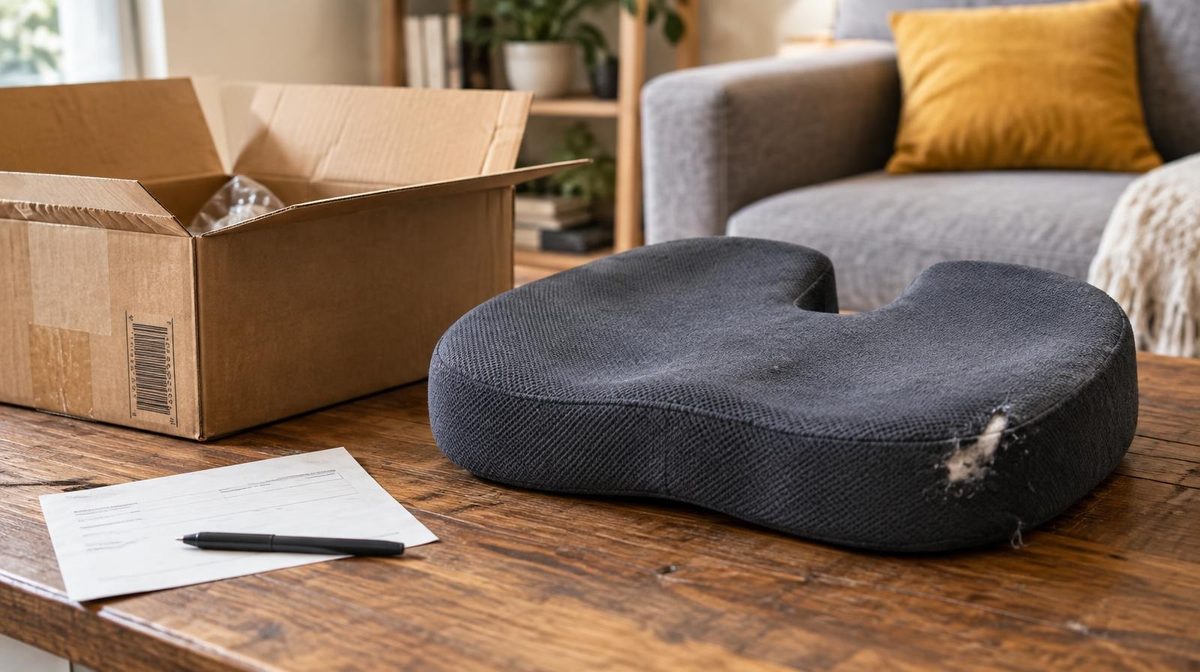
Dana's seat cushion looked like her best product. It ran at 31% ACoS against a 38% break-even, so she scaled the ad budget from $40 to $150 a day going into November.
In February she did the full reconciliation. Fourteen percent of those units had come back, almost half of them unsellable, and the FBA fee on every returned order was gone for good. Once she put returns into the math, each ad-driven order had lost her about a dollar. Her Advertising console never showed a single one of those returns.
That is the part of Amazon returns management most sellers skip. They treat returns as a customer service chore, when returns are really a profit problem that sits upstream of every ACoS decision you make. This guide covers what a return actually costs, where to find the data that explains why units come back, the listing fixes that cut return rates, and how to set an ACoS target that stays honest once returns are counted.
Why Amazon Returns Management Is a Profit Problem
Returns in US retail are enormous. The National Retail Federation and Appriss Retail put 2024 returns at roughly $890 billion, or 16.9% of retail sales. Online return rates run higher than store rates, and Amazon's free, no-questions return flow makes returning easy.
For a seller, three things make returns worse than they look.
1. Your ad data ignores them. Amazon Ads attributes a sale when the order is placed. If the customer returns the item three weeks later, the attributed sale stays in your campaign report. Your ACoS, ROAS and every automated rule built on them are calculated on gross sales.
2. Most of the costs are not refunded. When you refund a customer, Amazon returns the referral fee minus a refund administration fee. The FBA fulfillment fee you paid to ship the unit is gone, and so is the return shipping. A good share of returned units can't be resold as new either.
3. High return rates now trigger their own fees and flags. Amazon charges a returns processing fee on FBA units in many categories once an ASIN's return rate passes a category-specific threshold. Listings with a high share of negative customer experiences get flagged in Voice of the Customer and can be suppressed. Some detail pages also carry a "Frequently returned item" notice, which scares off shoppers before they buy.
So a returns problem hits you three times: in unit economics, in your ad targets and in conversion rate.
What One Return Actually Costs You
Let's price a single return using Dana's cushion. The numbers are typical for a mid-priced FBA product.
- Price: $34.00
- Referral fee (15%): $5.10
- FBA fulfillment fee: $6.20
- Landed product cost: $9.80
- Profit per unit before ads: $12.90 (a 38% break-even ACoS)
When a customer returns the cushion and gets a refund, here's what Dana loses beyond the sale itself:
| Cost item | Amount | Why |
|---|---|---|
| Refund administration fee | $1.02 | 20% of the referral fee, capped at $5 |
| FBA fulfillment fee | $6.20 | Not refunded |
| Unsellable inventory (45% of returns × $9.80) | $4.41 | Units graded customer-damaged or defective |
| Cost per return | $11.63 | Before any returns processing fee |
That's $11.63 on a $34 product, which is 34% of the selling price gone every time a unit comes back. And that assumes she stays below the returns processing fee threshold. The current fee schedule is on Amazon's pricing page, and it's worth checking your categories before Q4.
The Return-Adjusted Break-Even ACoS
Here's the formula that changes how you set targets:
Return-adjusted break-even ACoS = [(1 − R) × M − R × C] ÷ P
- R = return rate
- M = profit per unit before ads
- C = cost per return
- P = selling price
For Dana: [(0.86 × $12.90) − (0.14 × $11.63)] ÷ $34 = ($11.09 − $1.63) ÷ $34 = 27.8%.
Her "38% break-even" was really 27.8%. At 31% ACoS she was spending $10.54 in ads per order to earn an expected $9.47. The dashboard said she had seven points of room, but in reality she was losing about $1.07 on every ad-attributed sale.
Pro Tip: For quick checks, use the simple version: true ACoS = reported ACoS ÷ (1 − return rate). A 25% ACoS with a 12% return rate is really 28.4% on net sales. If you already track TACoS alongside ACoS, apply the same adjustment to both.
Where to Find Your Amazon Returns Data
You can't fix what you can't see, and Amazon spreads returns data across four places.
1. FBA Customer Returns Report
In Seller Central, go to Reports, then Fulfillment, then Customer Returns. Every returned unit shows up with its ASIN, SKU, return date, reason code, customer comment and disposition. Dispositions tell you what happened to the unit:
- Sellable: back in stock
- Customer damaged: opened, used or broken by the buyer
- Defective: the customer or warehouse flagged a product fault
- Carrier damaged: broken in transit
- Warehouse damaged: Amazon's fault, which you should be reimbursed for
Export 90 days of this report once a month. It's the backbone of everything else in this guide. Amazon documents the fields in its FBA customer returns help page.
2. Voice of the Customer Dashboard
Voice of the Customer (under Performance) scores each listing's Customer Experience Health from Excellent to Very Poor, based on its negative customer experience (NCX) rate. It pulls in returns, negative reviews and buyer messages, then groups complaints into themes such as "not as described" or "size too small." It surfaces the verbatim comments you need to fix the listing. A listing rated Very Poor can be suppressed, which also stops its ads cold. We cover how this ties into your wider metrics in our Amazon account health guide.
3. Return Rate by ASIN and Variation
Calculate return rate yourself: units returned in a period divided by units shipped in the same period, per child ASIN. Parent-level averages hide the problem. A shirt with an 8% average return rate might have a 21% rate on size Small and 4% on everything else. That's a sizing chart problem, not a product problem.
4. Reviews and Buyer Messages
Returns and 1-star reviews usually share a root cause. When the same complaint appears in return comments and in reviews, you've found your top fix. If reviews are already hurting you, our guide to handling negative Amazon reviews covers the response side.
How to Read Return Reasons
Return reason codes are self-reported and messy. Customers pick "defective" to avoid the return shipping charge on "no longer needed," for example. Group the codes into four buckets and the picture gets clearer.
- Expectation gap ("not as described," "wrong size," "not compatible," "inaccurate website description"): the product works, but the listing sold something else. This is the most fixable bucket, and in our experience it's usually the biggest one.
- Quality ("defective," "quality unacceptable," "damaged"): verify against dispositions. If returns say defective but the warehouse grades most units sellable, the real issue is expectations. If the warehouse agrees they're defective, talk to your manufacturer.
- Buyer's remorse ("no longer needed," "bought by mistake," "better price available"): some of this is unavoidable. A spike, though, often means a competitor dropped their price or your listing is attracting the wrong shopper.
- Logistics ("arrived late," "damaged by carrier"): packaging and inbound prep. Heavy or fragile items often need better inserts, not a better listing.
Kenji's Compatibility Problem
Kenji sells an aluminum tablet stand at $22. His return rate sat at 11%, and more than half of the reasons fell into the expectation-gap bucket. The customer comments kept saying the same thing: the stand tipped over with a 13-inch iPad Pro.
His main image showed the stand holding exactly that tablet. The stand could technically hold it, but only in portrait mode. His auto campaigns had also found "ipad pro 13 stand" and promoted it to exact match, where it became one of his highest-spend keywords.
He made three changes:
- Replaced the main image with an 11-inch tablet and added a clear "fits up to 12.9 in, portrait only above 11 in" callout to the second image.
- Rewrote the first bullet to lead with supported screen sizes.
- Added "13 inch" and "pro 13" as negative phrase terms and cut the bid on the rest of his iPad Pro keywords.
Within six weeks his return rate was 4.2%. His conversion rate barely moved, because the shoppers who used to buy and return were now buying a different stand. That's the outcome you want.
9 Ways to Reduce Amazon Returns
Most returns get decided before the order ships. These fixes are ordered by how much return rate they usually remove per hour of work.
- Make the main image honest. Show scale, not just beauty. Use a hand, a common object or dimensions on the second image. Shoppers return what they misjudged.
- Lead bullets with fit and compatibility. Sizes, dimensions, compatible models and what's in the box go in bullet one, not bullet five. Our listing optimization guide covers bullet structure in depth.
- Fix size charts at the variation level. If one size returns at double the rate of the others, adjust the chart, add a "runs small, size up" note, or change the size spec with your manufacturer.
- Use A+ Content to answer the top return reason. A comparison chart of "which model fits you" or a "what to expect" module works well here. See our A+ Content guide for layouts.
- Add an insert card. A card with setup instructions and a support email catches problems before they become returns. Keep it within Amazon's rules. Offer help, never ask for reviews in exchange for anything.
- Answer questions in the Q&A section proactively. If three return comments ask the same question, publish the answer where shoppers will see it before buying.
- Upgrade packaging for fragile items. Carrier-damaged returns are expensive and entirely preventable. A $0.40 insert beats a $12 return every time.
- Tighten your search term targeting. Keywords that describe a product you aren't (a bigger size, a different model, a premium material) bring buyers who will send it back. Add them as negatives.
- Stop discounting slow sellers into the wrong buyers. Deep coupons pull in impulse buyers with high remorse rates. If a 30%-off event doubles your return rate, the event was smaller than it looked.
Note: Amazon doesn't connect returns to search terms. You have to infer the link from return comments, variation-level return rates and keyword intent. That takes judgment, and it's worth doing for your top 20 spend keywords at least once a quarter.
💡 Daniks.AI Advantage: Once you've identified the keywords that attract return-prone buyers, Daniks.AI's negative keyword automation keeps blocking wasteful search terms and shifting budget toward the ones that convert profitably, 24/7. Try it free for 14 days.
Recover the Money Amazon Owes You
Good returns management isn't only about prevention. It's also about collecting what you're owed on the returns that still happen.
Amazon reimburses FBA sellers when a customer is refunded but the unit never comes back, when a returned unit is lost or damaged in the warehouse, and when a customer returns a different item than the one shipped. Most of this is automated now, but not all of it, and automation misses edge cases.
Laura's Reimbursement Audit
Laura sells kitchen scales across the US and Canada. She'd never looked at reimbursements because Amazon "handles it automatically." A quick quarterly check cross-referenced her Customer Returns report against the Reimbursements report.
She found 63 refunded units that never came back and were never reimbursed, plus 19 units graded "customer damaged" whose comments described a sealed box. She opened cases with the order IDs and screenshots and recovered $1,480 over two months. That's roughly the cost of her ad spend for eleven days.
The routine takes about an hour a quarter:
- Export Customer Returns and Reimbursements for the same 90-day window.
- Find refunded orders with no matching return and no reimbursement after 60 days.
- Pull "warehouse damaged" and "carrier damaged" units and check they were reimbursed.
- Open cases in batches with order IDs, not one ticket per unit.
Grade and Resell, Liquidation and Removal
Customer-damaged units don't have to be written off. Amazon's Grade and Resell program can sell eligible units as used through Amazon Resale, and FBA Liquidations recovers a fraction of cost on bulk stock. Anything else can come back to you through a removal order. Don't let unsellable inventory sit and pile up storage fees. Set automated disposition rules and review them each quarter alongside your inventory planning.
FBA vs FBM Returns
Returns work differently depending on who fulfills the order.
| FBA | FBM | |
|---|---|---|
| Who processes the return | Amazon | You |
| Return label | Amazon, prepaid | Amazon prepaid return label program, or your own |
| Inspection | Amazon warehouse grades the unit | You inspect and decide |
| Refund timing | Automatic when the carrier scans the return | You must refund within Amazon's timeline |
| Returnless refunds | Not configurable | You can set rules by price or category |
| Control over resale | Limited | Full |
FBM sellers have one lever FBA sellers don't: returnless resolutions. For a $9 accessory, paying return shipping and inspection costs more than the item. Setting a returnless refund rule for low-price SKUs is often the cheapest option. Watch the rule for abuse, though, and limit it to price points where the math clearly works. Our FBA vs FBM comparison covers the broader trade-offs.
Set Your ACoS Targets on Net Sales, Not Gross
This is where Amazon returns management meets your PPC.
Every bid decision, whether it's made by you, a rule or an algorithm, compares an ACoS against a target. If the target is based on gross margin and your products return at different rates, you'll overbid on the high-return products and underbid on the clean ones.
Here's the fix:
- Calculate return rate per product from the Customer Returns report, 90-day rolling.
- Price the cost per return using the table above.
- Recompute break-even ACoS for each product with the return-adjusted formula.
- Set each product's ACoS target below its adjusted break-even, based on your goal: close to break-even for launch and ranking, well below it for profit.
- Revisit the targets monthly, and right after Q4. January gift returns can double December return rates for giftable categories.
Here's how it plays out on three products with the same 38% gross break-even:
| Product | Return rate | Adjusted break-even | Sensible profit target |
|---|---|---|---|
| Cushion | 14% | 27.8% | 20% |
| Travel pillow | 6% | 33.6% | 25% |
| Lumbar roll | 2% | 36.5% | 28% |
One flat 30% target would have lost money on the cushion and left sales on the table for the lumbar roll. Your good ACoS benchmark isn't one number for the account. It's one number per product, and returns are a big part of why.
💡 Daniks.AI Advantage: This is exactly how Daniks.AI is built to work. You set an ACoS target per product or per marketplace, and the AI adjusts bids, budgets and negatives around the clock to hold each one. Feed it return-adjusted targets and it optimizes toward real profit instead of gross sales. There's no need to redo the math every time a bid changes.
Amazon Returns Management FAQ
What is a normal return rate on Amazon?
It depends on category. Home, kitchen, tools and consumables typically run in low single digits. Electronics often land in the 5-10% range, and apparel and shoes regularly reach 15-30%. Compare yourself against your own category and your own history, not a site-wide average.
Does Amazon charge a fee for returns?
Yes, in two ways. You pay a refund administration fee on every refunded order, and FBA charges a returns processing fee on units in many categories once an ASIN's return rate exceeds its category threshold. Apparel and shoes have their own returns processing rules. Check the current schedule on Amazon's pricing page.
Do returns affect my ACoS?
Not in the report, which is the problem. Attributed sales stay in your ad data after a return. Your true ACoS on net sales is your reported ACoS divided by (1 − return rate).
Can a high return rate get my listing suppressed?
Yes. A Very Poor Customer Experience Health rating in Voice of the Customer can lead Amazon to suppress the listing until you fix the underlying issue. Suppression also stops the listing's ads.
How often should I review returns?
Check Voice of the Customer weekly for new flags. Review return rates and reasons per ASIN monthly. Run a reimbursement audit quarterly and after every peak season.
The Bottom Line
Amazon returns management isn't a back-office task. It's a margin lever that sits underneath every ACoS target you set. A 14% return rate can turn a "profitable" 31% ACoS into a loss, and your ad reports will never tell you.
Start with the Customer Returns report and Voice of the Customer. Bucket the reasons, fix the expectation gaps in your images and bullets first, and negate the keywords that bring the wrong buyers. Collect what Amazon owes you every quarter. Then rebuild your ACoS targets per product on net sales, so your ad spend chases profit instead of orders that are coming back.
Ready to run PPC on targets that reflect real profit?
Daniks.AI holds a separate ACoS target for every product and marketplace, adjusting bids, budgets and negatives 24/7 so you don't have to. Set your return-adjusted targets once and let the AI do the daily work.
Start Your Free 14-Day Trial14-day free trial · Cancel anytime