
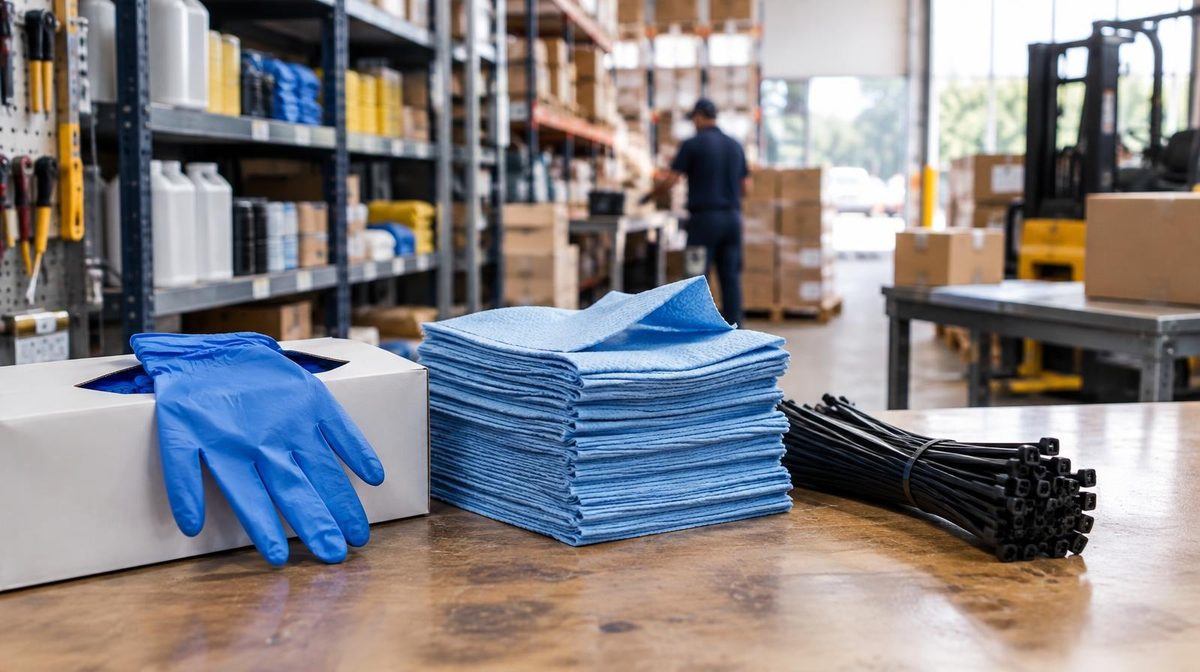
Marta sells shop-floor consumables: nitrile gloves, shop towels, zip ties. Boring products, healthy margins, steady ads. She had never once opened B2B Central in Seller Central, because as far as she knew, she sold to consumers.
Then she pulled the report. Twenty-two percent of her units in the previous 90 days had gone to business buyers. Average order size on those units: 4.1, versus 1.3 on the consumer side. She was already an Amazon Business seller. She just wasn't priced like one, wasn't bidding like one, and wasn't collecting the fee discounts that were sitting there waiting for her.
That is the normal state of things. Amazon Business is not a channel you switch on. It is a buyer segment already flowing through your existing listings, and most sellers never look at it. This guide shows you how to find your B2B share, price for it without giving away margin, and, the part almost nobody does, advertise to business buyers on purpose.
What Amazon Business Actually Is
Amazon Business is Amazon's procurement marketplace: the same catalog, the same Buy Box, the same ads, but with buyers who are purchasing on a company account with company money.
The scale is not a rounding error. Amazon Ads reports Amazon Business at $60 billion in annualized gross sales in 2025, serving 11 million organizations worldwide, including 484 of the Fortune 500. Those buyers are hospitals, school districts, contractors, dental practices, and the guy who orders shop supplies for a fleet of eight trucks.
Two things you need to know before anything else:
- You need a Professional selling account ($39.99/month plus standard selling fees). Individual sellers can upgrade at any time.
- There is no separate Amazon Business signup fee and no separate storefront to build. Your existing ASINs are already visible to business buyers. The B2B tools live under B2B Central in the Seller Central main menu.
That last point is why so much money gets left on the table. Nothing is broken, so nobody investigates.
Step One: Find Your Existing B2B Share
Do not change a single price until you know these three numbers. Pull the last 90 days.
- B2B share of units. What percentage of your units went to business buyers? Under 5% and this is a side project. Over 15% and you are running a B2B business without a B2B strategy.
- B2B average order size versus consumer. Units per order, not dollars. This is the number that justifies quantity discounts.
- B2B share by ASIN. It is never evenly distributed. Marta's gloves were 41% B2B; her branded cleaning spray was 4%. Those two ASINs need completely different treatment.
You will find the first two in B2B Central's business sales reporting. The third is the one worth the effort, because it tells you which five or six ASINs deserve the full playbook and which ones you should leave alone.
Sort your ASINs by B2B share, descending. The top of that list is your working set for everything below.
How Business Buyers Change Your Unit Economics
Business buyers behave differently in two ways that both help you, according to Amazon's own reporting: they order 70% more units per order and return 50% fewer orders than non-business customers.
Read that second one again. Returns are a silent margin killer: the returns processing fee, the unsellable inventory, the reimbursement fights. Cutting return rate in half on a segment of your volume is worth real money, and it never shows up in a PPC dashboard.
Then there is the fee side, which changed in your favor and most sellers missed it.
The Bulk Order Fee Discounts
If you offer a business price or quantity discount of 3% or more versus your standard price, business orders qualify for reduced fees:
- FBA fulfillment discount: when a business customer orders 2 or more units, savings run between $0.37 and $1.17 per unit for small and large standard-size products, scaling up with quantity.
- Referral fee discount: on business orders above $1,000 of a single product, the referral rate drops as order value rises, going as low as 5%. This one applies to both FBA and merchant-fulfilled orders.
The mechanism is worth internalizing: Amazon is paying you to discount. A 3% business discount is the entry ticket, and the fee relief on a multi-unit order frequently exceeds the 3% you gave up. If you have never run that comparison for your own products, our full breakdown of Amazon FBA fees has the per-unit fee stack you need to do the math properly.
Pro Tip: Check the discount threshold before you celebrate. A 2.9% business discount unlocks nothing. Set the tier at 3% exactly, not "about 3%", and confirm it against your standard price after any price change.
What Business Pricing Does to Sales
Amazon's Business Discount Insights data on 2024 seller performance:
- Products with a business price averaged 10% higher sales
- Products with quantity discounts saw 20% higher sales and 25% more units sold
Those are averages across a huge catalog, not a guarantee for your ASIN. But the direction is consistent, and the downside is capped because you control the discount.
Setting B2B Prices Without Giving Away Margin
Here are the rules that actually govern what you can do:
- The business price must be lower than your standard price, or it can match the standard price if you are only applying quantity discounts.
- You can set up to five quantity discount tiers per item.
- Price changes take up to 15 minutes to show to customers.
- You set all of it in Manage Inventory, or via Automate Pricing rules if you want it handled by rule instead of by hand.
The trap is flat discounting: knocking 5% off the business price across your whole catalog and calling it done. That gives margin away on the single-unit business orders you were already winning at full price.
Tier it instead. Give away nothing at quantity 1, just enough at quantity 2 to clear the 3% threshold that unlocks the fee discounts, then get more aggressive where the fee relief and the shipping efficiency actually pay for it.
| Quantity | Discount off standard price | Why this tier |
|---|---|---|
| 1 | 0% | Full price. You were winning this order anyway. |
| 2-5 | 3% | Exactly clears the threshold that unlocks the bulk fee discounts. |
| 6-11 | 6% | Fee relief plus one acquisition instead of six. |
| 12-23 | 9% | Case-pack territory. Shipping efficiency improves. |
| 24+ | 12% | Reserve for ASINs where you have real volume headroom. |
Run that structure on a product with a $24 price and a $7.10 contribution margin per unit, and the picture at quantity 6 looks like this: you gave up $1.44 per unit in discount, you got roughly $0.60 per unit back in FBA fee relief, and you moved six units in one order instead of waiting for six separate acquisitions you would have paid to advertise for six separate times.
That last clause is the whole point, and it is where advertising comes in.
Advertising to Amazon Business Buyers
This is the gap. Sellers who do set up B2B pricing almost never take the next step, which is to advertise to business buyers deliberately. Amazon gives you three distinct ways to do it.
1. B2B-Exclusive Campaigns
You can create Sponsored Products or Sponsored Brands campaigns shown only to business buyers. Amazon reports that advertisers running this saw a 120% increase in Amazon Business sales compared to existing campaigns advertising the same products.
This is the biggest single win available on your top B2B-share ASINs. Duplicate your best-performing campaign, restrict it to business buyers, and give it its own budget and its own ACoS target, because, as the math below shows, it can afford a different one.
Reporting on these campaigns is clean: because the campaign only serves business buyers, every metric in it is a B2B metric. No filtering, no attribution guesswork.
2. Business Placement Bid Adjustments
For products that sell to both audiences, which is most products, you do not need a separate campaign. You can raise your bid specifically for business shoppers inside your existing B2C Sponsored Products campaigns using placement bid adjustments.
Then pull the Amazon Business Placements report (open the campaign, click Bid adjustments, select the Amazon Business Placements tab). This is the single most underused report in Amazon Ads. It tells you, campaign by campaign, what business buyers are doing with your ads, and it is the evidence you need before committing to a dedicated B2B campaign.
3. B2B Audiences in Amazon DSP
If you are running DSP, there are 60+ B2B audiences available depending on country, segmented by industry, company size, and spending behavior. Campaign-level reporting breaks revenue down per audience.
Amazon Business ads run in 11 countries (US, Canada, Mexico, UK, Germany, France, Italy, Spain, Japan, India, Australia), and you do not have to be a seller to buy them.
Why B2B Changes the ACoS You Can Afford
Here is the argument that should change how you bid.
ACoS is spend divided by sales. When the same click produces a bigger order, the same spend buys more sales, so the ACoS on that click falls without you doing anything clever. If you are not fluent in this, start with our complete Amazon ACoS guide.
Dmitri sells commercial-grade extension cords. His numbers:
- Consumer order: 1.2 units, $31 average order value
- Business order: 4.4 units, $102 average order value
- Contribution margin: 31% of revenue after COGS, referral, and FBA fees
- Average CPC: $0.94, conversion rate 9%
Cost per order is the same on both sides: roughly $10.44 in ad spend to produce one order at a 9% conversion rate. But:
- On a consumer order, $10.44 against $31 in sales is a 33.7% ACoS, against a break-even of 31%. Underwater.
- On a business order, $10.44 against $102 in sales is a 10.2% ACoS, against the same 31% break-even. Comfortably profitable, with room to bid up.
Same keyword. Same click. Same product. Triple the profitability, entirely because of who clicked.
This is why a blended account-level ACoS target hides the opportunity. If Dmitri's traffic is 20% business buyers, his blended ACoS looks like 28%: under break-even, technically fine, no alarms. Inside that average, he is losing money on 80% of his orders and leaving the profitable 20% badly underbid. The account-level view of this problem is exactly what TACoS is for, and it is the metric to watch as you scale a B2B segment.
The fix is not exotic: separate the segments so each one gets its own target. Run a B2B-exclusive campaign with an aggressive ACoS target and bid to win, and hold the consumer campaign to a target that actually clears break-even.
💡 Daniks.AI Advantage: Business buying is seasonal, driven by procurement cycles and fiscal year-ends, so a target you set in March is wrong by September. Daniks.AI holds each campaign to its own ACoS target and adjusts bids around the clock, so a B2B campaign at 25% and a consumer campaign at 18% both stay where you put them without you rebuilding a bid sheet every month.
Business-Only Offers, Package Hierarchies, and Certifications
Four more tools, each worth a line in your rollout:
- Business-only offers. Reserve specific inventory or specific ASINs exclusively for business buyers. Useful for case packs you do not want a consumer buying one of, and for protecting a consumer price point while discounting hard on the B2B side.
- Package hierarchies. Set up single units, case packs, and pallets as a proper structure rather than as unrelated listings. This is how you sell 48-count without cannibalizing your 6-count.
- Diversity and quality certifications. Add credentials to your profile and they surface throughout the Amazon Business shopping experience. Many institutional buyers in government, education, and healthcare have supplier diversity targets they are required to hit. Amazon does not help you obtain certifications; you get them yourself and then upload them. If you already qualify for one, this is free preferential placement in front of buyers with a mandate to find you.
- Quote management. Business buyers can request quotes on large orders, and you handle them in Seller Central. Treat these like inbound leads, because that is what they are.
One thing carries over from the consumer side: none of this works if you do not own the Buy Box. B2B buyers see the Featured Offer just like everyone else, and quantity discounts on an offer that does not hold the Buy Box do nothing. If Buy Box share is shaky on your top B2B ASINs, fix that first. Our Amazon Buy Box guide covers the levers.
A 30-Day Amazon Business Rollout
Week 1 — Measure. Pull B2B share of units, B2B units per order, and B2B share by ASIN for the last 90 days. Rank your ASINs. Pick the top five.
Week 2 — Price. On those five ASINs, set a business price and a tiered quantity discount schedule that clears 3% at quantity 2. Check your contribution margin at every tier before you publish. Wait 15 minutes and confirm the prices display.
Week 3 — Measure the ads. Turn on business placement bid adjustments on the campaigns advertising those ASINs and start collecting the Amazon Business Placements report. Do not build new campaigns yet: get two weeks of data first. This is the same discipline as reading your search term report before making bid changes. Decide from data, not from a hunch.
Week 4 — Separate. For any ASIN where the business placement report shows materially better conversion or order size, launch a B2B-exclusive Sponsored Products campaign with its own budget and its own ACoS target. Leave the consumer campaign alone.
Ongoing. Review B2B share monthly. Add certifications as you obtain them. Revisit quantity tiers quarterly: as your fee structure changes, the tier that made sense last quarter may not this one.
Note: Do not stack a B2B quantity discount on top of an aggressive coupon or promotion without recalculating. Discounts compound faster than sellers expect, and a tier that looked fine in isolation can go negative in combination. Our coupons and promotions playbook has the true-cost math for that.
Frequently Asked Questions
Does selling on Amazon Business cost extra?
No. There is no separate program fee. You need a Professional selling account ($39.99/month), which most sellers already have, and you pay standard referral and FBA fees, often at a discount on qualifying business orders.
Do I need Brand Registry to sell on Amazon Business?
No. B2B pricing, quantity discounts, and business-only offers are open to any Professional seller. Brand Registry is required for Sponsored Brands, so it gates some of the advertising options but none of the B2B pricing tools.
Will business prices cannibalize my consumer sales?
Business prices are only visible to verified business accounts, so a consumer shopper never sees them. The real cannibalization risk is quantity tiers set too aggressively at low quantities: a business buyer who would have paid full price for two units now gets a discount. Start the meaningful discounts at quantity 3 or higher.
How do I see B2B performance in my advertising reports?
Two ways. For campaigns serving both audiences, use the Amazon Business Placements report inside the campaign's bid adjustment settings. For B2B-exclusive campaigns, every number in the campaign is already B2B-only.
Is Amazon Business Prime something I need to manage as a seller?
No. Business Prime is the buyer-side subscription that gives organizations free shipping and spend analytics. You do not buy it or manage it. It matters to you only as context: Business Prime members are the higher-frequency, higher-volume end of the B2B buyer pool, and FBA offers are what they see as Prime-eligible.
What is the minimum B2B share worth building for?
If business buyers are under 5% of your units, set business prices on your top ASINs and stop there. Between 5% and 15%, add placement bid adjustments. Above 15%, run the full playbook including dedicated B2B campaigns.
The Bottom Line
You are probably already an Amazon Business seller. The question is whether you are acting like one.
The three moves that matter, in order: measure your B2B share by ASIN, set tiered quantity discounts that clear the 3% threshold on your top B2B products, and separate business traffic in your advertising so it gets the ACoS target its economics actually justify. Business buyers order more units, return far less, and come with fee discounts attached, which means the same keyword that loses money on a consumer click can be one of the most profitable clicks in your account.
Nothing here requires a new product, a new brand, or a new marketplace. It requires opening a report you have never opened, and pricing for the customer you already have. Marta found hers in twenty minutes. Go find yours.
Ready to automate your Amazon PPC?
Daniks.AI runs per-campaign ACoS targets around the clock, so your B2B campaigns can bid aggressively while your consumer campaigns stay lean, without you rebuilding a bid sheet every week.
Start Your Free 14-Day Trial14-day free trial · Cancel anytime