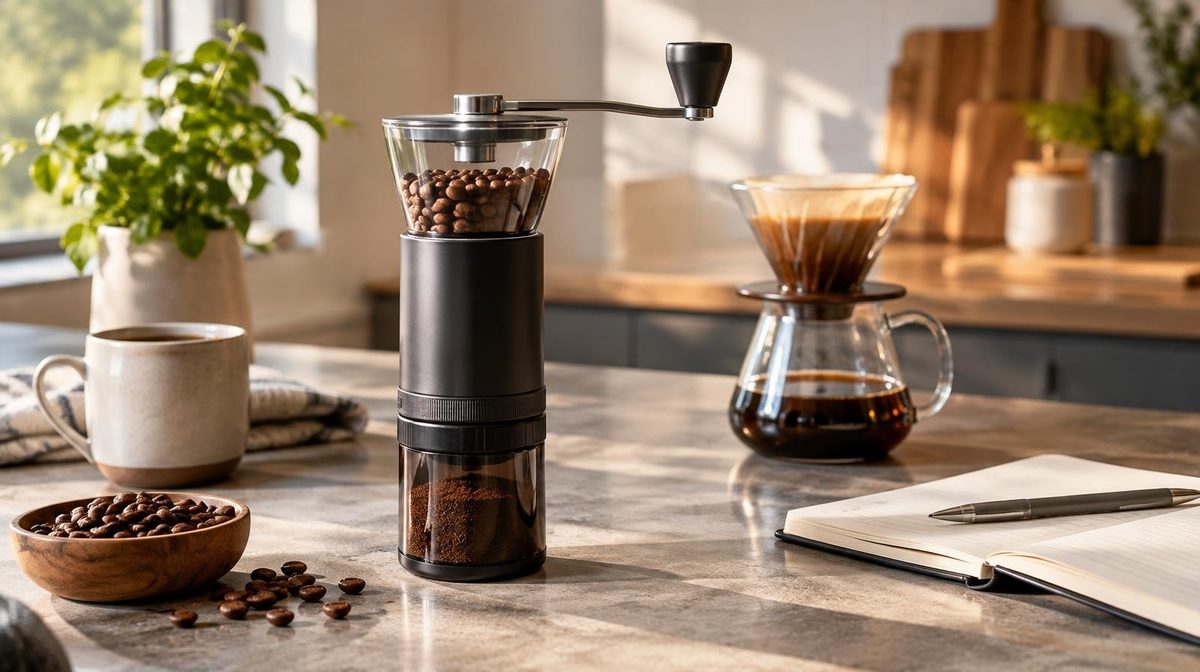
Marcus sells a $289 burr coffee grinder. In week one of his new exact match campaign, the keyword "conical burr grinder" took 24 clicks, cost $41 and sold nothing. He did what most PPC guides tell you to do with a keyword that spends without converting. He paused it.
Three weeks later he pulled a 30-day report out of curiosity. That same keyword had picked up four orders from the clicks it got before he paused it. Shoppers had clicked, left to read reviews and watch videos, and come back days later to buy. Four orders at $289 is $1,156 in sales on $41 of spend. He had switched off his best keyword because he judged a $289 product by the rules of a $19 one.
That is the core challenge of Amazon PPC for high-priced products. Expensive items flip the problem that cheap items have. A $10 product can't afford the click. A $300 product can afford the click easily, but it converts less often, it converts later, and it gives you data so slowly that most standard rules make the wrong call. This guide shows the math, the click thresholds to use, and eight ways to make $100+ products profitable with ads.
Why Amazon PPC for High-Priced Products Is Different
Most PPC advice is written for products in the $20 to $60 range. Above about $100, four things change.
1. Conversion rates drop. A $25 kitchen gadget might convert at 12% to 15% of ad clicks. A $300 appliance often converts at 3% to 6%. Shoppers compare more, read more reviews and check more listings before they spend real money. Fewer clicks turn into orders, so each order needs more clicks behind it.
2. Shoppers buy later. A cheap item is an impulse buy. An expensive one is a decision. Many buyers click your ad, leave, research and come back days later. Amazon counts that later purchase as an ad sale only if it falls within the attribution window: 7 days for Sponsored Products bought by sellers, 14 days for Sponsored Brands and Sponsored Display. Your 3-day numbers will always look worse than your 30-day numbers.
3. Data arrives slowly. At a 4% conversion rate you need about 25 clicks for one order on average. A keyword with 5 clicks a day takes five days to produce one order. Any rule that says "pause after 15 clicks with no sale" will kill good keywords on a $300 product.
4. You can afford to pay more. This is the good news. A big price usually means a big margin in dollars. A product that earns $90 per order before ads can pay far more per click than a $10 product that earns $3. If you bid like a cheap product, you leave the top of the page to competitors.
So the job is different. With cheap products you fight for cheap clicks. With expensive products you fight for the right clicks, wait long enough to judge them, and help the shopper decide.
The Math: Maximum CPC and Click Thresholds
Start with two numbers for each product.
Maximum CPC is the most you can pay per click and still hit your ACoS target:
Max CPC = Price × Conversion rate × Target ACoS
Marcus's grinder sells for $289. It converts at 4% of clicks. His break-even ACoS is 33% (he keeps $95 per order before ads), and he targets 25%.
$289 × 0.04 × 0.25 = $2.89 per click
His category CPC is about $1.70, so he has real room to bid up. A $12 product with a 12% conversion rate and the same 25% target can pay only $0.36.
Click threshold is how many clicks a keyword needs before zero orders means something. A good rule is 3 ÷ your expected conversion rate. Below that, a healthy keyword can easily show zero orders by bad luck.
| Product price | Typical ad conversion rate | Clicks before you judge a keyword | Spend to reach it at $2.00 CPC |
|---|---|---|---|
| $79 | 8% | ~38 | ~$76 |
| $149 | 6% | ~50 | ~$100 |
| $299 | 4% | ~75 | ~$150 |
| $599 | 2.5% | ~120 | ~$240 |
Look at the last column. That spend is not waste. It is the price of finding out whether a keyword works. A $150 test on a $299 product is the cost of about half an order's margin, and a single winning keyword can bring in hundreds of orders a year.
The flip side: set the threshold in spend, not just clicks. A good cutoff for a keyword with zero orders is about 1.5 to 2 times your target cost per order. At $289 and 25% ACoS, Marcus's target cost per order is $72, so a keyword that has spent $110 to $145 with no order has earned a cut.
Strategy 1: Judge Keywords on Longer Windows
The fastest way to lose money with expensive products is to optimize too fast.
- Use 30-day or 60-day windows for bid and pause decisions, not 7-day. Your conversion count per keyword is small, so short windows are mostly noise.
- Ignore the last 3 to 5 days when you judge results. Late orders are still landing in that period.
- Change bids in smaller steps. Move a bid 10% to 15% at a time instead of cutting it in half after a slow week.
- Group thin data. If no single keyword has enough clicks, judge the ad group or the search term theme ("burr grinder," "espresso grinder") instead.
Marcus now reviews his grinder campaigns every two weeks on a 45-day window. Fewer changes, better ones.
Pro Tip: For any product above $100, raise the click and spend thresholds in your bid rules before you do anything else. Most default rules in tools and templates are tuned for $20 to $40 products.
Strategy 2: Buy Clicks From Shoppers Ready to Pay Your Price
On an expensive product, the worst click is from a shopper who never planned to spend that much. They click, see $289 and leave.
Bid up on specific, high-intent terms. Shoppers who use spec words and quality words tend to have a bigger budget: "commercial grade," "stainless steel," "with grinder," a material, a size, a model name. These terms often have lower volume but much higher conversion. Put them in exact match and give them your strongest bids. Our guide to Amazon PPC match types covers how to split them out.
Add price-mismatch negatives. Search for and block terms that signal a smaller budget:
- "cheap," "budget," "affordable," "under 50," "under 100"
- "for kids," "mini," "travel," "starter" (when your product isn't)
- Competitor brands known for much lower prices
Check your search term report for these every two weeks. Our negative keywords guide shows how to add them at the right level.
Be careful with broad match and auto campaigns. They find new terms, but on a premium product they also find a lot of shoppers who want the $49 version. Run them with lower bids and harvest the winners into exact match.
Strategy 3: Win the Click With the Price in View
Sponsored Products ads show your price, rating and review count next to everyone else's. On a search page where most results cost $60 and yours costs $289, the shopper's first question is "why?"
Your ad has to answer that before the click:
- Main image. Show the quality difference: the steel body, the build, the size next to something familiar. Test it in Manage Your Experiments if you have Brand Registry.
- Title. Lead with the reason it costs more: "Commercial-Grade," "40mm Steel Burrs," "10-Year Warranty."
- Reviews. A $289 product with 12 reviews next to a $65 product with 4,000 reviews loses most of the clicks it gets. Below about 30 to 50 reviews, keep bids moderate and spend on getting reviews first.
Target the right neighbors. With product targeting, place your ad on listings of products at a similar or higher price, not on the cheapest options. A shopper looking at a $349 grinder sees your $289 one as a deal. A shopper looking at a $39 grinder sees it as a shock. The setup steps are in our guide to Amazon ASIN targeting.
Strategy 4: Pick Placements by Conversion, Not Habit
Top of search gets the most attention, and on many cheap products it converts best. On expensive products, check the data before you assume.
Shoppers on premium products often convert well on product detail pages of comparable premium brands. They are already deep in research and already accept the price range. Pull your placement report for each campaign, compare conversion rate and ACoS by placement, and set your modifiers to match. Our Amazon PPC placements guide walks through the report and the modifier math.
Elena sells a $649 electric standing desk. Her top of search placement had a 2.1% conversion rate and a 41% ACoS. Product pages of other desks over $500 converted at 4.8% with a 19% ACoS. She cut her top of search modifier from 80% to 20%, built a product targeting campaign on 30 premium desk ASINs, and moved most of her budget there. Same budget, 46% more orders in the next 60 days.
Strategy 5: Use Sponsored Brands and Video for the Research Stage
Expensive purchases have a research stage. Sponsored Products ads are good at the moment of purchase. Sponsored Brands and video are better at the research stage before it.
- Sponsored Brands video can show what a photo can't: how the grinder sounds, how the desk moves, how the product is built. For a premium product, 15 to 30 seconds of real use answers more objections than a bullet list.
- Sponsored Brands with a Store landing page shows your full range, so a shopper can compare your models and pick the right one without leaving your brand.
- Sponsored Brands also uses a 14-day attribution window, which fits the longer path to purchase.
Judge these campaigns on more than ACoS. Look at new-to-brand orders and at the rise in branded searches. See our guide to Sponsored Brands video ads for formats and specs.
Strategy 6: Retarget the Shoppers Who Left
On a cheap item, a shopper who leaves usually buys something else. On an expensive item, a shopper who leaves is often still deciding. That makes retargeting worth much more.
Sponsored Display can show ads to shoppers who viewed your product (or similar products) in a recent lookback window and didn't buy. Use it to bring researchers back:
- Target "views remarketing" for your own ASINs with a 30-day lookback.
- Keep the bid moderate. These shoppers already know you, so you're paying to remind, not to introduce.
- Pair it with a coupon (see Strategy 7) so the reminder gives them a reason to buy now.
Amazon's Sponsored Display overview lists the audience options, and our Sponsored Display guide covers setup.
Strategy 7: Lower the Barrier, Not the Price
Price cuts on expensive products are costly. A 10% cut on a $289 product is $28.90 off every order, ad-driven or not. There are cheaper ways to push the decision:
- Dollar-off coupons. "$30 off" feels bigger than "10% off" on a high price, and the coupon badge appears on your ad. You pay the discount only on orders that use it.
- Bundles. Add an accessory with a low cost to you and a high value to the shopper (spare burrs, a cleaning kit, a cable tray). The bundle is harder to compare on price alone.
- Warranty and returns. If you offer a long warranty, say it in the title, bullets and images. It answers the biggest fear of an expensive purchase.
- Payment plans. Amazon offers monthly payment options on many eligible high-priced orders at checkout. If your product qualifies, mention that monthly payments are available in your A+ Content.
Our guide to Amazon coupons, deals and promotions covers the fees and how each one shows up in search.
Strategy 8: Measure TACoS, Not Just ACoS
On a premium product, an ad sale is often not the whole story. A shopper may click your ad, leave, then come back through an organic search 20 days later. Amazon gives that sale no ad credit, but your ad started it.
That is why TACoS (ad spend ÷ total sales) is the better scorecard for expensive products. If your ACoS is 30% but your TACoS is 11% and falling while total sales grow, the ads are working, even if each campaign looks expensive on its own. Our ACoS vs TACoS guide shows how to track both.
Use a simple check every month: total sales, ad spend, TACoS and organic rank on your top 5 keywords. If rank and organic sales rise with steady ad spend, keep going.
Common Mistakes With High-Priced Products
- Copying click thresholds from cheap products. A 15-click cutoff on a $299 product pauses winners. Use 3 ÷ conversion rate, or 1.5 to 2 times your target cost per order in spend.
- Judging on 7-day data. Late orders make young data look bad. Use 30 days or more and skip the last few days.
- Underbidding. Sellers see a $2.50 CPC and panic. Run the max CPC formula. A $289 product can often pay it with room to spare.
- Fighting cheap competitors head-on. Your ad next to a $49 product rarely wins. Target similar-priced listings and premium keywords.
- Launching with few reviews. A premium price with weak social proof turns clicks into bounces. Build reviews before you scale spend.
- Measuring Sponsored Brands and Display like Sponsored Products. Upper-funnel ads earn their keep in TACoS, branded search and new-to-brand orders, not last-click ACoS alone.
How Daniks.AI Handles High-Priced Products
Daniks.AI bids against your ACoS target for each product, so the bid ceiling scales with price and conversion rate automatically. A $289 grinder can bid up to what its margin allows. A $12 accessory in the same account stays cheap.
The system judges keywords on enough data before it cuts them. Expensive, slow-converting products get the click and spend room they need, so a keyword like Marcus's "conical burr grinder" isn't paused after one quiet week. Search terms that keep spending without converting still get negated, and winners from broad and auto are moved into exact match with their own bids.
💡 Daniks.AI Advantage: You set the target. The AI does the daily bid work, across every product price in your catalog. Start your free 14-day trial and see how it handles your premium products.
FAQ: Amazon PPC for High-Priced Products
Is Amazon PPC worth it for expensive products?
Yes, often more than for cheap ones. A high price usually means more margin in dollars per order, so you can afford higher bids. The challenge is patience: conversion rates are lower and orders arrive later, so you need bigger samples before you judge a keyword.
What is a good conversion rate for a $200+ product on Amazon?
Many products above $200 convert at 2% to 6% of ad clicks, depending on the category, reviews and price position. Compare your rate to your own organic Unit Session Percentage in Business Reports rather than to category-wide averages.
How much should I bid on high-ticket products?
Use the formula: price × conversion rate × target ACoS. A $299 product converting at 4% with a 25% ACoS target can pay up to about $3.00 per click. Start a little below that and raise bids on keywords that prove they convert.
How many clicks before I pause a keyword on an expensive product?
About 3 ÷ your expected conversion rate. At 4%, that's around 75 clicks. You can also use spend: pause a keyword with zero orders when it has spent 1.5 to 2 times your target cost per order.
Why do my high-priced products get clicks but no sales?
Usually one of three reasons: the clicks come from shoppers looking for a cheaper product, your listing doesn't justify the price next to cheaper competitors, or you're judging too soon. Our guide to Amazon PPC clicks but no sales walks through the full diagnosis.
Should I run Sponsored Display for premium products?
Yes, especially for retargeting. Shoppers who viewed an expensive product and left are often still deciding. Views remarketing brings them back at a lower cost than winning a new shopper.
Conclusion
Amazon PPC for high-priced products is a game of patience and precision. The math is on your side: a big margin per order lets you outbid most competitors. What breaks campaigns is speed. Sellers judge keywords after too few clicks, read results before late orders arrive and fight cheap products for shoppers who were never going to pay the price.
Set your max CPC from price, conversion rate and target ACoS. Raise your click and spend thresholds. Bid hard on high-intent terms and block bargain hunters. Put your ads next to products in your own price range, retarget the researchers and count the whole picture with TACoS.
If you sell both cheap and expensive items, compare this guide with our playbook for Amazon PPC for low-priced products. The rules are close to opposite, and that's exactly why one set of bid rules can't serve a whole catalog.
Ready to automate your Amazon PPC?
Daniks.AI sets bids from your ACoS target for every product, from $10 accessories to $600 desks, and waits for enough data before it cuts a keyword.
Start Your Free 14-Day Trial14-day free trial · Cancel anytime