
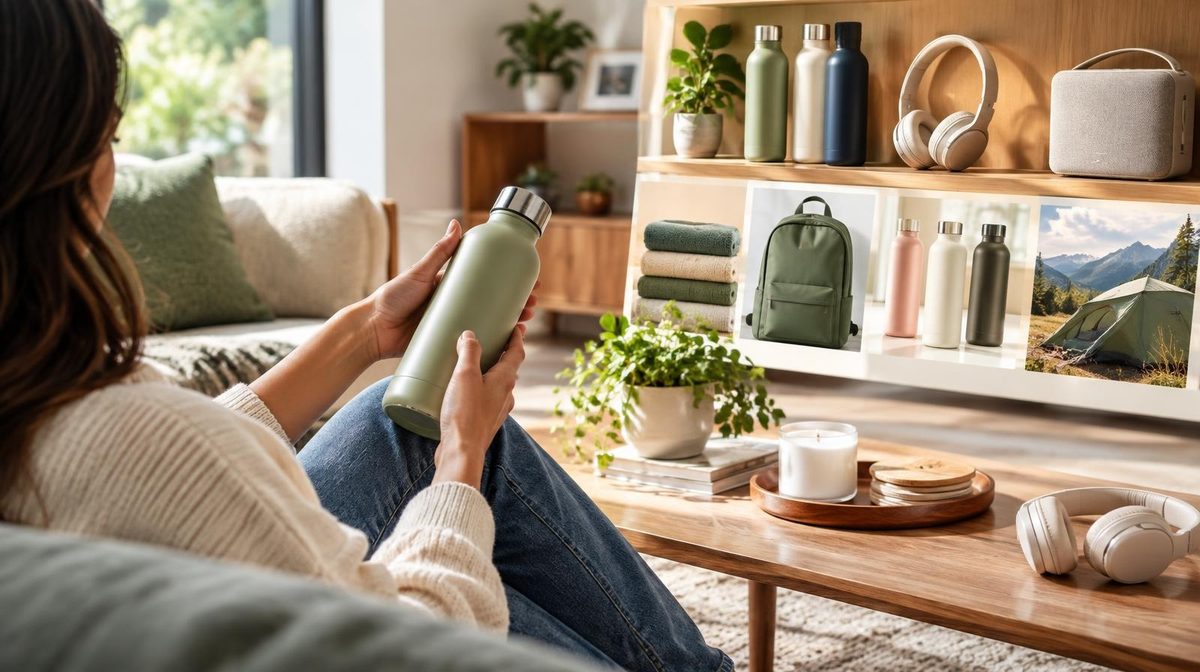
You spend all your energy fighting for position on the search results page. Bids, negatives, ACoS targets, placement modifiers. Then a shopper clicks, lands on a single product page, doesn't see the exact variation they wanted, and bounces back to a competitor. Gone.
An Amazon Brand Store fixes that leak. It's a free, multi-page storefront on Amazon.com that shows shoppers your entire catalog, your brand story, and your best products in one branded destination, with zero competitor ads on the page. Most sellers build one in an afternoon, then forget it exists. That's a mistake. A well-built Store is the single highest-converting destination you can send traffic to, and it's the one piece of Amazon real estate you actually own.
This guide walks through exactly what an Amazon Brand Store is, how to build one that converts, how to drive qualified traffic to it, and how to read the data that tells you whether it's working.
What Is an Amazon Brand Store?
An Amazon Brand Store is a free, self-service storefront that brand-registered sellers build inside Amazon. Think of it as a mini-website hosted on Amazon's domain, with its own URL (amazon.com/yourbrand), multiple pages, and a drag-and-drop builder that requires zero coding.
Unlike a product detail page, which shows one ASIN surrounded by competitor ads and "customers also bought" carousels, a Store is a distraction-free environment. No competitor Sponsored Products. No comparison widgets pulling shoppers away. Just your brand, your products, and the shopping experience you design.
To build one you need Amazon Brand Registry, which requires a registered trademark. If you have Brand Registry, you already have access to the Store builder inside Seller Central under the Stores menu. It's the same qualification that unlocks A+ Content and Sponsored Brands, so if you're running brand campaigns, you're eligible.
The Store is free to build and free to host. Amazon doesn't charge for the storefront itself. You only pay when you run ads to drive traffic to it.
Why a Brand Store Actually Matters
Sellers who dismiss the Store as a vanity project miss three concrete advantages.
It converts better than a product page for multi-product brands. When a shopper is browsing rather than buying one specific item, a single detail page is a dead end. A Store lets them explore your full range, discover complementary products, and buy more per visit. Brands consistently see higher units per order from Store traffic than from detail-page traffic.
It unlocks the Store Spotlight ad format. Sponsored Brands ads that drive to your Store get access to the Store Spotlight creative, which showcases three subpages of your Store in a single ad. This format only works if you have a well-structured Store to link to. No Store, no Store Spotlight.
It's owned, trackable real estate. With Amazon Attribution tags, you can send external traffic, from Instagram, TikTok, email, or Google, straight to your Store and measure exactly what it drives. Sending cold external traffic to a single product page is risky; sending it to a branded Store that tells your whole story converts far better.
There's also a ranking angle. Branded search traffic and off-Amazon traffic that lands on your Store feeds the sales velocity signals that Amazon's A9 and COSMO algorithms reward. A Store won't rank on its own, but it makes every traffic source you point at it work harder.
How to Build an Amazon Brand Store: Step by Step
Here's the practical build. Budget two to three hours for a first version, and plan to refine it over time.
Step 1: Open the Store Builder
In Seller Central, go to Stores → Manage Stores → Create Store. Select your brand. Amazon gives you a blank Store with a homepage to start.
Step 2: Choose a Template
Amazon offers pre-built templates (Marquee, Product Highlight, Product Grid) plus a blank canvas. For a first Store, pick a template that matches your catalog size. Product Grid works for large catalogs; Marquee works for brands leaning on lifestyle imagery and storytelling.
Step 3: Build Your Page Structure
This is where most Stores succeed or fail. A good Store is organized the way a shopper thinks, not the way your spreadsheet is organized. Common structures:
- By category: a homepage plus a subpage per product category (best for brands with distinct product lines)
- By use case: subpages organized around problems your products solve (best for brands where the same product serves different customers)
- By collection or season: subpages for bestsellers, new arrivals, or seasonal bundles
Keep it to three to five subpages for a first version. A shallow, focused Store beats a sprawling one nobody navigates.
Step 4: Add Content Tiles
The builder uses tiles you drag onto each page: full-width images, product grids, text, video, and the "shoppable image" tile that lets shoppers click products directly inside a lifestyle photo. Lead each page with a strong hero image, then mix product tiles with lifestyle and text so the page doesn't read like a bare product list.
Step 5: Add Products
Link products via the product grid tile or feature individual ASINs. Amazon pulls live pricing, Prime badges, and reviews automatically, so your Store always shows current data. Make sure the product detail pages you link to are fully optimized, because the Store sends traffic to them to close the sale.
Step 6: Preview, Submit, and Publish
Preview on both desktop and mobile, over 60% of Store traffic is mobile, so check that hero images and text render cleanly on a phone. Submit for moderation. Amazon typically reviews and publishes within 72 hours.
Pro Tip: Build your Store on desktop but design for mobile. Test every page on your phone before submitting. A hero image with text baked into the graphic often looks great on desktop and unreadable on mobile. Use Amazon's text tiles instead of text inside images wherever possible.
Brand Store Structure Best Practices
A published Store is the starting line, not the finish. These practices separate Stores that convert from Stores that collect dust.
- Match subpages to your ad campaigns. If you run a Sponsored Brands campaign for "organic dog treats," send it to a Store subpage built around organic dog treats, not your generic homepage. Message match between the ad and the landing page is the biggest lever on Store conversion rate.
- Lead with your bestsellers. Put your highest-converting, best-reviewed products above the fold on the homepage. Don't make shoppers scroll to find the product that made them curious in the first place.
- Use lifestyle imagery, not just white-background product shots. The Store is your chance to show products in context, something the detail page struggles to do. Lifestyle images build the brand perception that justifies premium pricing.
- Refresh seasonally. Update the hero and featured products for Prime Day, back-to-school, and Q4. A Store frozen in last spring's promotion signals a brand that isn't paying attention.
- Keep navigation obvious. Shoppers should understand your Store's structure in three seconds. Clear subpage names ("Skincare," "Haircare," "Gifts") beat clever ones ("The Ritual," "The Journey").
How to Drive Traffic to Your Brand Store
A Store with no traffic is a website nobody visits. Here are the channels that actually fill it, ranked by how reliably they perform.
Sponsored Brands Store Spotlight and Headline Ads
This is the highest-intent, most controllable source. Sponsored Brands campaigns let you send clicks to your Store instead of a product list, and the Store Spotlight creative showcases multiple subpages in one ad. These ads capture shoppers at the moment they're searching a category keyword and route them into your branded environment instead of a competitor's product page.
Sponsored Brands Video
Sponsored Brands Video ads can also drive to your Store. Video earns higher engagement and, paired with a Store destination, gives shoppers a full brand experience: watch the video, land in the Store, explore the range. This is full-funnel advertising done right.
External Traffic With Amazon Attribution
Instagram, TikTok, YouTube, email lists, and influencer partnerships all send traffic that converts, if you point it at the right destination. Use Amazon Attribution tags so you can measure which external source drives Store visits and sales. External traffic to a Store also earns you the Brand Referral Bonus, a credit Amazon pays for sales you bring from off-platform.
Amazon DSP
For brands ready to scale beyond search, Amazon DSP can drive display and video audiences to the Store as an awareness-to-consideration landing destination. This is a later-stage play, master Sponsored Brands traffic to the Store first.
Note: Don't send external traffic to a bare product page when you have a Store. Cold traffic from social needs context, your brand story, your range, your social proof, before it's ready to buy. That's exactly what a Store provides, and it's why Store-destination campaigns typically out-convert product-page destinations for top-of-funnel traffic.
Reading Store Insights: The Metrics That Matter
Every Brand Store comes with a free analytics dashboard called Store Insights, found under Stores → Manage Stores → your Store → Insights. Ignore it and you're flying blind. Watch these numbers:
- Visitors and views: total traffic and page views, broken down by traffic source (organic, ads, external tagged sources)
- Sales: revenue and units generated by Store visitors, with a breakdown by source
- Sales per visitor: the single best measure of how well your Store converts browsing into buying
- Views per visitor: how deep shoppers go; low numbers mean your homepage isn't compelling enough to earn a second click
- Traffic source performance: which channels (Sponsored Brands, external, organic) actually drive sales, not just clicks
The workflow is simple. Check Store Insights weekly. Find the traffic source with the highest sales per visitor and pour more budget into it. Find the subpage with the worst views-per-visitor and rebuild it. Treat your Store like a landing page you optimize, not a brochure you set and forget. This is the same conversion-rate discipline that separates growing brands from stagnant ones.
Common Brand Store Mistakes to Avoid
- Building it once and never touching it. The Store isn't a set-it-and-forget-it asset. The brands that win refresh it, test it, and match it to live campaigns.
- Sending all ad traffic to the homepage. Generic homepage landing kills conversion. Match each campaign to a relevant subpage.
- Designing for desktop only. Most Store traffic is mobile. A Store that looks broken on a phone loses the majority of its visitors.
- Text baked into images. It doesn't scale on mobile, it's not accessible, and Amazon may reject it. Use text tiles.
- No traffic plan. A beautiful Store with no ads or external traffic pointed at it earns almost nothing. Build the Store and the traffic engine together.
- Ignoring Store Insights. If you're not reading the data, you can't improve conversion. The dashboard is free; use it.
Where Daniks.AI Fits
A Brand Store is only as valuable as the qualified traffic you send it. The most reliable, scalable source of that traffic is Sponsored Brands and Sponsored Products campaigns, and running those profitably at scale is exactly what Daniks.AI automates.
💡 Daniks.AI Advantage: Set your ACoS target, connect your Seller Central account, and Daniks.AI manages the bids, budgets, keywords, and negatives across your campaigns 24/7, including the Sponsored Brands campaigns that feed your Store. You set the target once and let the AI keep qualified shoppers landing on your storefront while you focus on building the brand. Over 1,000 sellers managing $50M+ in ad spend already run their campaigns this way.
Your Store is the destination. Your campaigns are the engine. Automate the engine, and the destination does its job.
Frequently Asked Questions
Is an Amazon Brand Store free?
Yes. Building and hosting a Brand Store is completely free. You need Amazon Brand Registry (which requires a registered trademark) to access the builder, but the Store itself costs nothing. You only pay when you run ads to drive traffic to it.
Do I need Brand Registry to build a Store?
Yes. A Brand Store is a Brand Registry benefit, alongside A+ Content and Sponsored Brands. If your brand isn't registered, enrolling in Brand Registry (which requires an active registered trademark) is the prerequisite.
How long does it take Amazon to approve a Store?
Amazon typically reviews and publishes a submitted Store within 72 hours. Edits to a live Store go through the same moderation process, so plan updates a few days ahead of a promotion.
Can I send external traffic to my Amazon Store?
Yes, and you should. Use Amazon Attribution tags to track traffic from Instagram, TikTok, email, and other channels. External traffic to a Store can also earn the Brand Referral Bonus, a credit Amazon pays on off-platform sales you bring in.
What's the difference between a Brand Store and A+ Content?
A+ Content enhances individual product detail pages with richer images and comparison charts. A Brand Store is a separate multi-page storefront that showcases your entire catalog and brand. They work together: A+ Content converts shoppers on the product page, the Store gives them a branded home to explore your full range.
How do I measure if my Brand Store is working?
Use Store Insights (under Stores → Manage Stores → Insights). Focus on sales per visitor and traffic-source performance. Check it weekly, double down on the sources with the best sales per visitor, and rebuild the subpages with the weakest engagement.
Your Amazon Brand Store is the one destination on Amazon you fully control, a distraction-free, multi-page environment built to turn browsers into buyers. Build it with a clear structure, point qualified ad and external traffic at it, and read Store Insights every week to keep improving conversion.
The build is the easy part. Keeping profitable traffic flowing to it is the ongoing work, and that's what automation is for. Set your ACoS target, let Daniks.AI run the campaigns that feed your Store, and spend your time on the brand instead of the bids.
Ready to keep your Brand Store full of buyers?
Let Daniks.AI run the Sponsored Brands and Sponsored Products campaigns that feed your storefront, on full autopilot, at your target ACoS.
Start Your Free 14-Day Trial14-day free trial · Cancel anytime